Inspiration and information for filmmakers everywhere
October 11, 2012 by neiloseman

Presenting Your Vision

Working on my Stop/Eject mood reel for FilmWorks last week got me thinking about the various methods with which a director can convey his vision for a film during the development process. Here are the ways I’ve used over the years, and the pros and cons of each.

The first ones are all static images, so they can be printed out and thus viewed without the need for any technology (no worries about whether the recipient will be able to open this particular file format) but are also small enough to be emailed. They’ll never grab someone’s attention as much as a moving image, but take less time to absorb and can produce an instant reaction.

If you have the skills or know someone who does, high quality CONCEPT ART can dazzle and excite. Choose dramatic moments and give the artist guidance on the colour palette and lighting you’re after.

The Dark Side of the Earth concept art by Ian Tomlinson

The Dark Side of the Earth concept art by Ian Tomlinson

Storyboards for The Dark Side of the Earth by David Ayling

Storyboards for The Dark Side of the Earth by David Ayling

You wouldn’t get STORYBOARDS out at an initial pitch, but they’ll impress at a second or third meeting. They show you’ve thought carefully about the script and how you’re going to put it on screen. This is particularly valuable if you have complex action or FX sequences. Beware that if the person you’re pitching to thinks the script needs more work, they’ll see storyboards as jumping the gun. Get the script right first.

A MOOD BOARD is a scrapbook or montage of images from films and/or other artforms that represent the tone and style of your piece. Less skill is required to make one of these than concept art or storyboards, and although as a creative person you may balk at the implication that your film is unoriginal, execs will find it very useful to compare your project to previous ones. If you use images from a film that did poor box office, again expect tough questions about why your movie won’t fail too.

The Dark Side of the Leaflet, designed and executed by Ian Tomlinson

The Dark Side of the Leaflet, designed and executed by Ian Tomlinson

A variation on this is a BOOKLET which might contain some of the above, plus photos and biogs of attached or wish-list actors, a synopsis, a director’s statement and maybe even an outline budget. Ian Tomlinson, The Dark Side of the Earth’s incredibly talented production designer, came up with the period-style leaflets pictured at left to promote the project. In one of my Cannes video blogs you can see a bit of these leaflets. (Sadly they’re now all gone and they got quite time-consuming and expensive to produce.)

Now we’ll look at moving images. Nowadays these aren’t prohibitively expensive to produce, and can be distributed for next-to-nothing via the internet – but beware of techy problems on the other end. Even YouTube doesn’t always work. If the person you’re sending it to can’t open it, they’ll probably give up and move onto something else, perhaps without even telling you why. Frankly I reckon you’re always safer with a DVD. Playing it off a laptop, tablet computer or iPhone in a meeting is a bad idea. Execs are narrow-minded and will see your project as a cheap YouTube video rather than a big, cinematic venture. Plus the sound will be awful. In another of my Cannes vlogs I discussed the dilemma of whether it’s better to show your pilot with poor picture and sound or not at all.

A MOOD REEL or RIP REEL is a moving version of the mood board or scrapbook. Ripping all those DVDs and YouTube clips can be a technical nightmare, but if done well it can be very useful. Here’s one for a very different vision of The Hunger Games by director Kevin Tancharoen. The accompanying interview on Slashfilm.com is also well worth a read.

Beware that many of the above materials will start giving the recipient thoughts about the budget. If your materials make it look like your vision will be expensive, be prepared to answer tough questions about that.

TEASER TRAILERS can be very useful for raising crowd-funding, but my feeling is that they’re not great for attracting conventional financing. Unless you’re going to chuck a hell of a lot of money at it and get an experienced trailer editor to cut it, the danger that a teaser trailer will look amateur and backfire is significant. You’d be better off with a rip reel.

PILOTS can also backfire. You can’t shoot it on a DSLR with a few hundred quid, then screen it at your pitch meeting and say, “The film will look like this, only better.” You have to shoot it with the production values you want the full film to have. That’s why my pilot for The Dark Side of the Earth was shot on 35mm anamorphic, and why we insist that anyone wanting to view it attends a screening of the print, rather than watching a crappy little quicktime or even a DVD. When you’re in that darkened screening room with the 5.1 track rumbling away and the image looking jaw-droppingly beautiful, only then are you doing your film-to-be justice.

Consider making a stand-alone SHORT FILM instead. My greatest regret with the Dark Side pilot is that we didn’t do this; we just took a couple of scenes from the middle of the screenplay and added an introductory voiceover and concept art montage to explain the story so far. It’s far and away my best work, but no-one’s seen it! If only I could have entered it into film festivals. Even if that hadn’t helped get the feature funded, it would have been great exposure for me and perhaps could have led to another of my projects getting made.

Another thing I tried for Dark Side before making the pilot was PREVIZ. These are filmed or animated storyboards, normally created once a project is greenlit to help plan and budget for FX, but they may also have value as part of a pitch, particularly if you want to prove you’re on top of how the FX will be achieved. The Dark Sides previz was shot with action figures and cardboard models and I’d certainly never screen them in a pitch meeting; I did them mainly for my own benefit. If they’re for a pitch, get a good CG animator on the case.

Check out The Dark Side of the Earth: Previsualisation playlist on YouTube for more of these.

Finally, I once read about a filmmaker who created an AUDIO PITCH consisting of her own voice narrating the synopsis, mixed with music and sound effects. Whatever technology and skills you can access to best get your vision across, that’s what you’ve got to do. But remember, it has to be top quality or you’re just shooting yourself in the foot.

What methods have you used to get your vision across?

  •   •   •   •   •
October 3, 2012 by neiloseman

FilmWorks: Mood Reel

A few days ago I re-read the FilmWorks homework instructions and noticed the hitherto-unnoticed word “edit” lurking after the phrase “mood reel“. Cue mad dash around the DVD shops of Hereford, frantic googling for software that will rip region 1 discs and even filming YouTube videos off my computer screen. I fear the technical aspect of the exercise may have overshadowed the creative one, but anyway here it is:

It’s probably the most random thing I’ve ever edited, but I can already see its value. Mashing up the romantic drama genre with sci-fi is not easy, and the Venn Diagram of audience demographics for those two genres has little overlap. I see the audience for Stop/Eject being males 25-45 and a wider female audience of 14-45.

Despite the difficulties, some films have straddled the genre gap successfully, The Adjustment Bureau being the best example to my mind. Sci-fi is at its best when using fantastic devices and situations to explore the human condition, and if I can pull off a moving personal drama against a fantasy backdrop it should be quite powerful. I think this is nicely encapsulated by Stop/Eject’s tagline: “What would you rewind?” – a classic “what if?” type question.

  •   •   •   •   •
March 22, 2012 by neiloseman

Soul Searcher Previz

Back in 2003 when I was developing Soul Searcher, I tried my hand at making a videomatic for the first time. A videomatic is a kind of previsualisation, like a moving storyboard that shows not only the camera angles but the pacing as well, and often gives an idea of how the music and sound effects will work with the scene and what the VFX requirements will be.

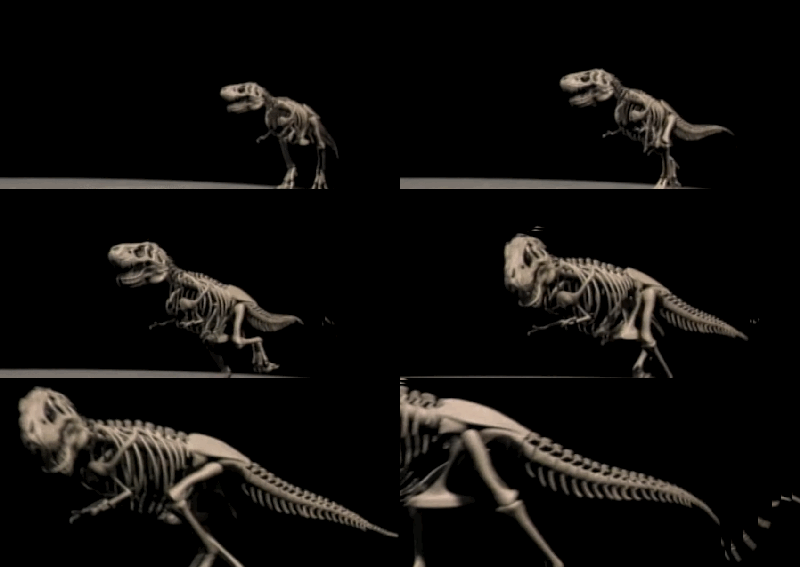
Jurassic Park animatic

Jurassic Park animatic

Nowadays previz is usually CGI, but back in the day it was not uncommon to build crude miniatures of the props and people in a scene and film the previz in the form of a videomatic using a camcorder or lipstick camera. Pat McClung and co, when prepping James Cameron’s Aliens, made Drop Ships and APCs out of cardboard boxes and pulled them on strings through landscapes formed from rumpled paper and blankets. A decade later, when planning his deep dives to the Titanic wreck, Cameron had his team build a model of the ship and like-scaled models of the submersibles, so he could previz the shots they needed to get on the ocean floor. Phil Tippett went to the trouble of animating Jurassic Park’s previz in beautiful stop motion, demonstrating not only the angles and movement Spielberg wanted for the real scenes, but the lighting as well. Even Peter Jackson’s cutting edge Lord of the Rings trilogy employed cardboard mock-ups and a video camera to previz the flooding of Isengard.

In that fine tradition I attempted this videomatic for Soul Searcher:

Shooting a videomatic for The Dark Side of the Earth. Photo: Ian Tomlinson

Shooting a videomatic for The Dark Side of the Earth. Photo: Ian Tomlinson

Looking back on it now, it was quite a lazy attempt and suffered greatly from the poorly drawn storyboards, which are very hard to interpret, especially when bits of them are cut out and pasted onto the live action footage. Although I found making this videomatic very useful for my own process as director, and many of the Lego train shots were cut into the film during post-production until the final miniature shots were ready, it wasn’t much use for showing other crew members what work needed to be done. In fact, when I brought the model-makers on board in 2004, I decided to draw a new set of nice, neat storyboards rather than show them the videomatic.

My videomatic skills improved, however, and by 2006 I was shooting a series of them for my new feature project, The Dark Side of the Earth. You can view some of them here.

  •   •   •   •   •
March 19, 2012 by neiloseman

Taking Decisions Lightly: Part 2

Lighting concept #1 for the basement

Lighting concept #1 for the basement

Following on from my last post, here’s what I was going for when I created the above lighting previz image for the basement scene in Stop/Eject.

As DoP Eve Hazelton lucidly explains in this video blog, one of the keys to great cinematography is creating depth, even (and especially) when you’re shooting in 2D. The basement location already has great depth with all those pillars tapering into the distance, but how can that be maximised on camera?

  • I’ve added smoke. Smoke creates depth because there will be more of it between the camera and a distant subject than between the camera and a close subject.
  • The light illuminating the smoke gets bluer as it gets further from camera. (This will be achieved by layering increasing numbers of blue gels on the lights.) This simulates the effect you can see when you look at the view from the top of a hill, whereby other hills in the distance seem bluer due to atmospheric haze.
  • I’ve thrown alternating pillars into shadow. This makes each “layer” of pillars contrast with the ones behind and in front of it, highlighting the depth. (We can achieve this on the day by simply turning off or removing the tubes in every other fluorescent light.)
Colour wheel

Colour wheel

As the characters walk through this shot towards us, they will go in and out of smoke and shadow, and become clearer through the smoke. That gives us dynamics, which are also important in good cinematography.

Now let’s look at the issue of colour contrast, something which I must admit I’ve only got to grips with quite recently. To cut a long story short, images look more interesting if they contain contrasting colours. Typically this means choosing two colours on opposite sides of the colour wheel, like blue and yellow as in the above previz. Or I could have gone with orange/red and green…

Lighting concept #2

Lighting concept #2

… though green daylight is hard to justify! It does fit nicely with the colour palette we’ve already established for the costume and production design though.

I also tried orange daylight and green fluorescent light, but since the scene doesn’t take place at sunrise or sunset that’s hard to justify too.

Finally I tried orange and blue. One is a warm colour and the other is a cool colour – another classic way of creating colour contrast.

Lighting concept #3

Lighting concept #3

The jury’s still out on this one. A lot will depend on what colour I’m able to make the fluorescent light appear through white balancing, since we’re unlikely to have time to gel all of them to my desired hue, and also what colour costumes Katie puts the characters in for that scene.

Okay, that’s all for today. Once the film’s in the can, there will be lots more about how the scenes were lit. In the meantime, perhaps I’ll share some of my lighting plans in a future post.

  •   •   •   •   •
March 17, 2012 by neiloseman

Taking Decisions Lightly

I’m DOPing Stop/Eject as well as directing it, which means I have to be well prepared. I’m not going to have time to stand around on location figuring out how I want to light it. I need to do that in advance.

Last year I drew up some lighting plans, and thanks to the postponement of the shoot I have more time to work on these and get them just right. And recently I had a previsualisation idea: to take recce shots of the location and photoshop them to show the lighting I want to achieve.

So here’s the image I decided to work with, from the basement at Strutt’s North Mill in Belper:

Raw frame grab from the basement recce

Raw frame grab from the basement recce

Ceiling fluorescents

Ceiling fluorescents

So, how do I want to light the basement? How does a DOP decide how to light anything? For me it always starts with three questions:

  1. Realistically, where would light be coming from?
  2. Creatively, where do I want to put the lightst?
  3. Practically, where can I put the lights?

Let’s try to answer these for the basement scene…

  1. The basement is only partially underground, so it does have some windows, but I don’t ever have to show them if I don’t want to (an advantage of being director too). A room like this would have regularly spaced ceiling lights, probably fluorescent. Perhaps the characters would have a torch or lamp of some kind too.
  2. Soul Searcher's car park scene, lit almost entirely by the existing overhead fluorescents

    Soul Searcher's car park scene, lit almost entirely by the existing overhead fluorescents

    I’m going to choose to include the daylight, to provide some contrast with the ceiling lights. This is our most impressive location and perhaps the scene where the film’s fantasy side is most apparent, so I want it to look magical and cinematic. More on the creative side later.

  3. We would have access to the areas outside the windows, so I could light through them if I wanted. (In practice I’ll probably never show the windows, and the lamps representing the daylight will actually be inside the building, just out of frame.) Our time at this location is likely to be extremely limited, so although the ceiling is suitable for hanging lamps from, I’ll probably just have to go with the existing fluorescents. I’ve done this before – the multi-storey car park in Soul Searcher – and it looked good.

So with all that in mind, here’s what I came up with in Photoshop:

Lighting concept #1 for the basement

Lighting concept #1 for the basement

In my next post I’ll explain what I’ve done and why, particularly with reference to creating depth, and show you some alternate versions of the above image which will demonstrate some of the basics of colour theory. Sounds intriguing, huh? Better not miss it.

  •   •   •   •   •