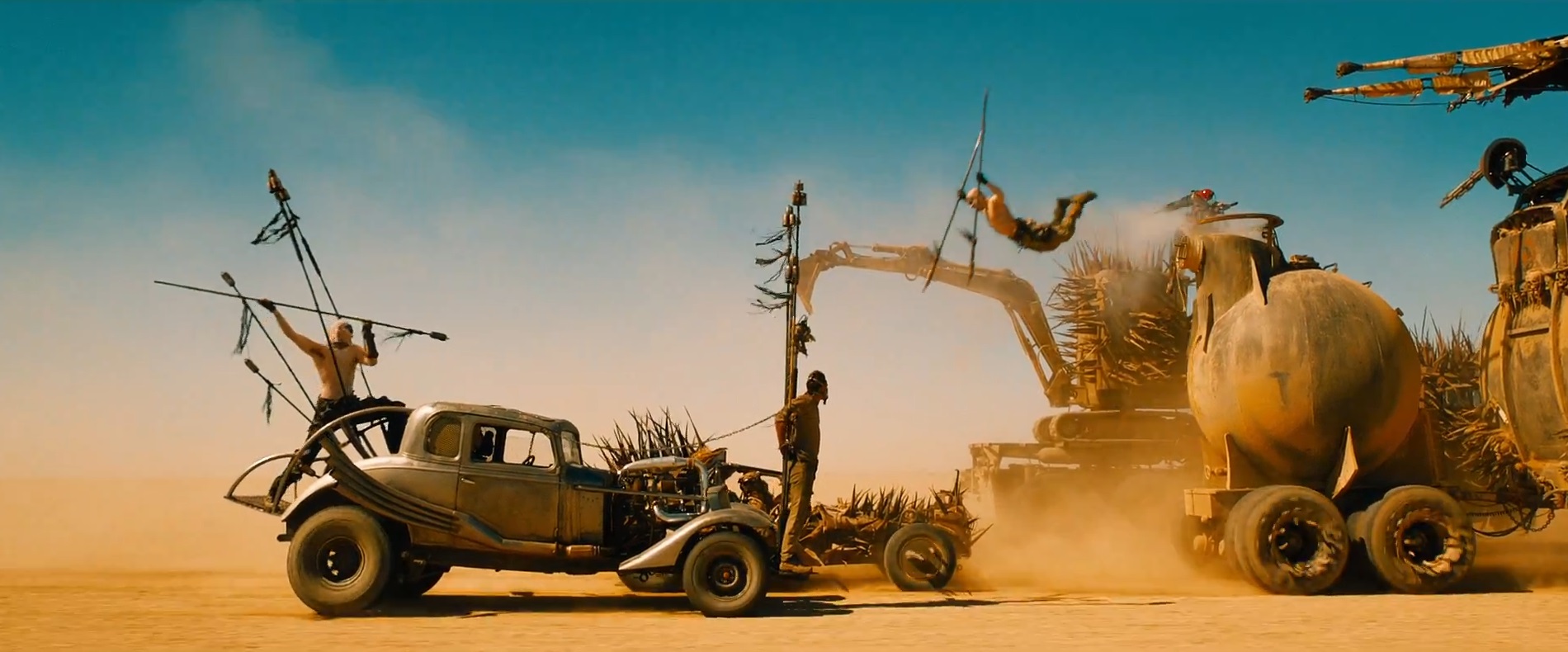
20 Facts About the Cinematography of Mad Max: Fury Road

cars

The Australian Cinematographers’ Society has released a video of a two hour talk by Fury Road DP John Seale, ACS, ASC. It’s a fascinating watch, with lots of interesting info and some dry Aussie wit; more than once Seale talks about “taking to the drink” when things got tricky!

Watch the video here. (Embedding is disabled.)
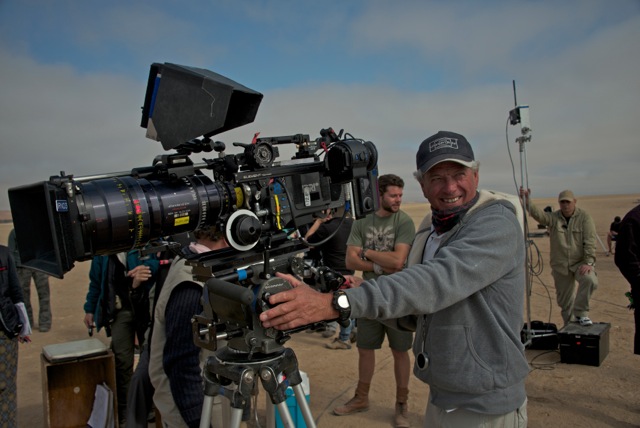
John Seale, ACS, ASC

Here are the most interesting points I took from it, with a few extra details added from American Cinematographer’s article on Fury Road:

  1. The team spent years developing a new 3D camera based on a sensor built for the US military. Director George Miller wanted something rugged enough to survive dusty desert work and small enough to fit into the truck cabs. Camera tests revealed it had only five stops of dynamic range, nowhere near enough to capture detail both outside and inside the cabs in the same frame.
  2. The film was ultimately shot on Arri Alexas (four Ms and six Pluses) and converted to 3D in post. Absolutely no consideration to the 3D format was given during shooting.
  3. When early footage failed to please DIT Marc Jason Maier and his meters, Seale agreed to downrate the Alexa from its published 800 ASA to 400 ASA. The subsequent footage was deemed technically correct by Maier and made Seale much more comfortable that he was recording what he thought he was recording in terms of exposure.
  4. Dailies were rendered with two different LUTs: the standard Rec 709 and a custom one designed to emulate a one-light celluloid work-print. This was for the benefit of Seale, for whom Fury Road was his first digital movie.
  5. Canon 5D Mark IIs with the Technicolor CineStyle profile were used as crash cams. Sky replacement had to be executed on many of the 5D shots to remove banding, presumably caused by the small colour space.
  6. Olympus and Nikon DSLRs were used a little as well.
  7. For close-ups of Max escaping the Citadel early in the film, a Blackmagic Cinema Camera with a Tokina 11-16mm zoom (a combination I used frequently on The First Musketeer!) was rigged on a Movi.
  8. The film was lensed predominantly on zooms, with a few Super Speed primes kept on standby for when the daylight was running out.
  9. Custom-built 15mm and 16mm primes were used inside the cab of the War Rig. The lenses’ hyperfocal distance had been adjusted so that everything from 0′ to 9′ (i.e. everything inside the cab) would be in focus.
  10. Lighting and camera rigs hung from the roofs of the vehicles had to be stripped back because of the shadows they cast. Instead, platforms were rigged on the sides of the trucks, and a track-and-pulley system was built into the War Rig’s cab’s ceiling from which cameras could be suspended.bts
  11. Scenes in the cab were shot at T5.6, with strips of LEDs mounted on the ceiling and on the pillars between the front and rear doors to bring up the actors inside.
  12. Day-for-night scenes were overexposed by two stops so that characters in the shadows could be lifted in the grade, if necessary, without noise.
  13. The film was storyboarded early on, but a script was only written when the studio demanded it!
  14. Miller wanted to shoot everything single-camera, including action, but Seale began sneaking in with extra cameras and soon convinced his director of the efficacy of this method.
  15. Much of the film was shot as Poor Man’s Process, or “Sim Trav” as Seale calls it.
  16. In post, Miller chose shots with camera shake that he liked and had that shake digitally applied to other shots.
  17. Miller decreed that the subject of the shot should always be framed centrally. This allowed him to edit faster, because time wouldn’t be lost on each cut as the viewer searched the width of the anamorphic frame for the subject.
  18. Extensive use was made of two Edge Arms. An evolutionary step up from Russian Arms, these are cameras mounted on robotic arms which are in turn mounted on pick-up trucks.
  19. Other vehicle rigs included custom-built buggies with Alexa Pluses mounted front and rear, and a “Ledge” mount which was a 30′ truss tower built on the back of a truck, allowing high angles without the need for drones or helicopters.
  20. Leaf blowers were used, via flexible pipes, to keep sand off the lenses in moving shots.

It’s interesting to hear how laid-back Seale is. He gave his focus puller a great degree of leeway in choosing the lens package, and let his DIT, gaffer and operator handle the technical side of recording and exposing the image. This level of trust in his team must give him tremendous capacity to focus (pardon the pun) on the creative side of his job without worrying about the details.

I’ll leave you with the EPK B-roll from Fury Road…

20 Facts About the Cinematography of Mad Max: Fury Road

Soft Wrapping Backlight on The Shepherds’ Play

The Second Shepherds’ Play, the medieval comedy which I lensed last week, had several scenes in “the Mak Shack”, the grotty home of the antagonists. The set posed an interesting problem in that – apart from the door, which wouldn’t always be open – it contained no light sources. No windows, no lamps, no candles. Given the wordy script and the tight schedule, I needed to light it in a way that would not need tweaking between set-ups, and which would work for one particular scene that director Doug Morse wanted to film as a single developing shot showing about 180º of the set.

One option would have been to posit a window in the off-screen 180º, but that would have resulted in very flat illumination, all lit from the front like a photo taken with flash.

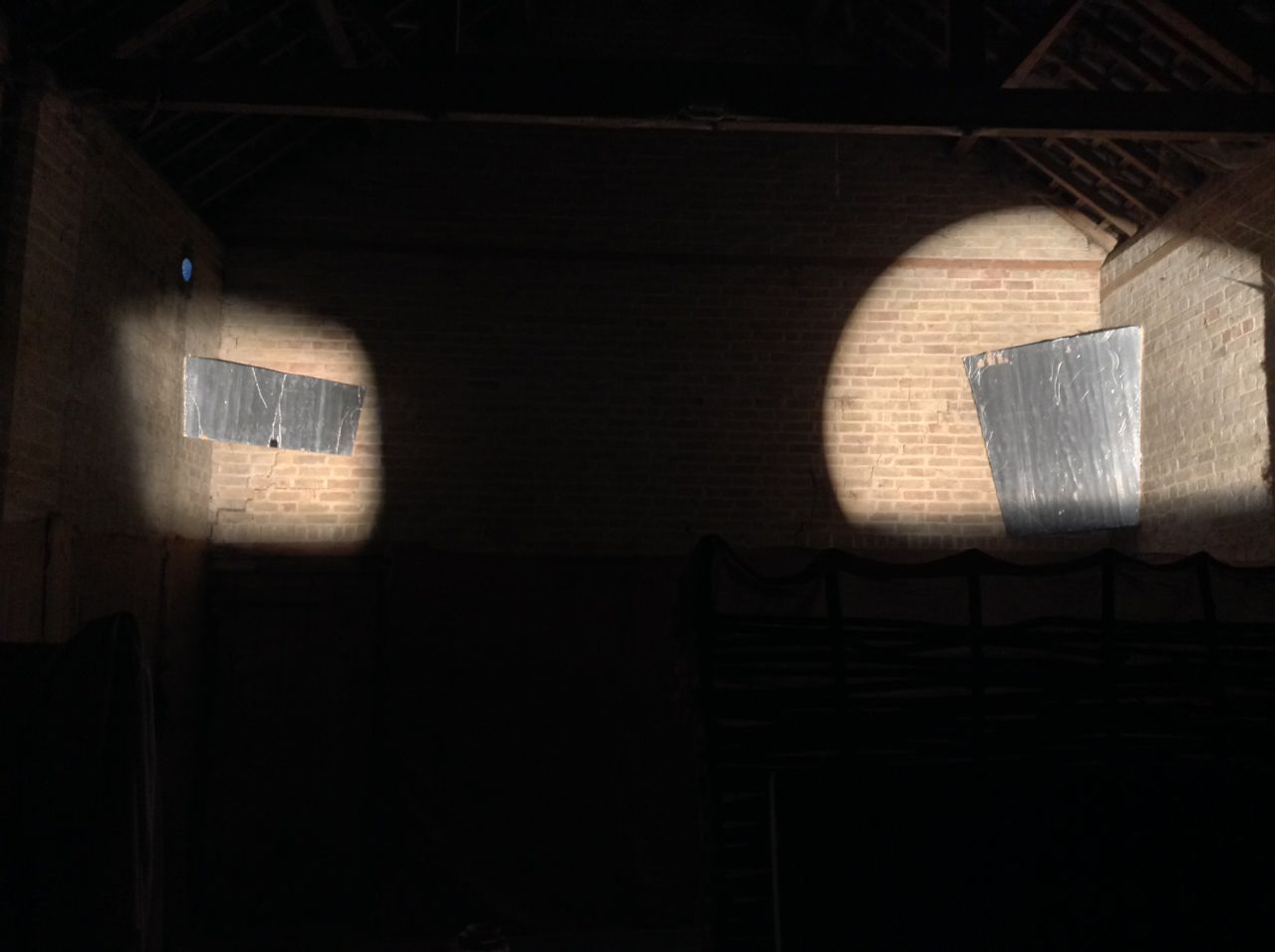
I wanted to create a cross-backlighting set-up (Lighting Technique #2), but it was impossible to hang lamps above the rear of the set without damaging the location’s brickwork. So instead I had Colin rig two pieces of Celotex (matte silver bounce board) above the back two corners. Into these I fired Source Fours, peeking over the front walls of the set. These lamps, designed for theatre use, are relatively cheap to hire and have lenses and cutters which provide a great deal of control over where the light does and doesn’t go, meaning you can ensure it all goes onto a bounce board and nowhere else. Using Source Fours as sources for bounced light is a tip I picked up from David Vollrath‘s talk in the Big League Cine Summit in January.

Here you can see a Source Four Junior peeking over a wall at the front of the set to hit a bounceboard at the back.
Viewed from the back of the set, both Source Fours can be seen firing over the front walls.
Viewed from the back of the set, both Source Fours can be seen firing over the front walls. The lamps are high enough that their beams go completely over the heads of the talent.
This reverse angle shows the two bounce boards above the back corners of the set, which you'll have to trust me is directly underneath them in the darkness.
This reverse angle shows the two bounce boards above the back corners of the set, which you’ll have to trust me is directly underneath them in the darkness.

This set-up enabled me to execute the 180º handheld shot without casting any shadows myself, and without the actors casting hard shadows (which would have been inappropriate for a period piece), while still primarily lighting the downsides of their faces to give depth and shape to the image. It also provided backlight to ensure the actors stood out.

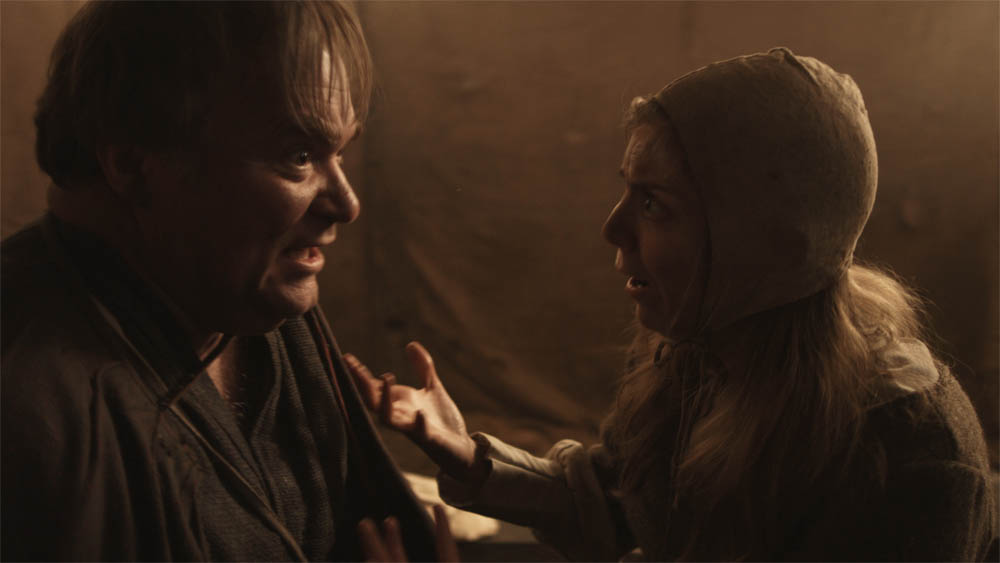
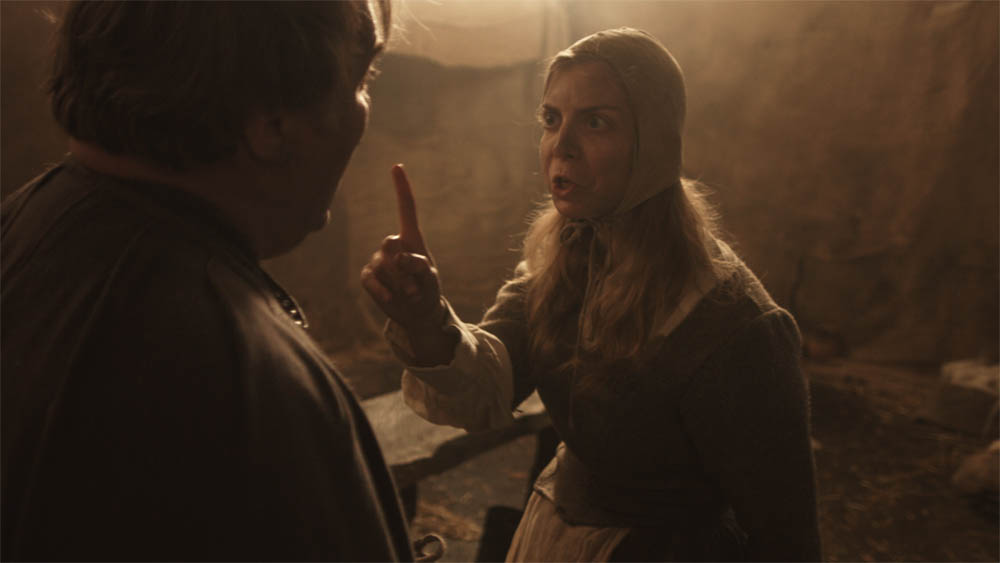
I’ll leave you with some frame grabs (courtesy of Grandfather Films) and a floor plan of the set-up. Visit Grandfather Films on Facebook for more on the Shepherds’ Play.

longtake2

longtake1a

longtake1

Diagram2

Soft Wrapping Backlight on The Shepherds’ Play

Giving Yourself Somewhere to Go

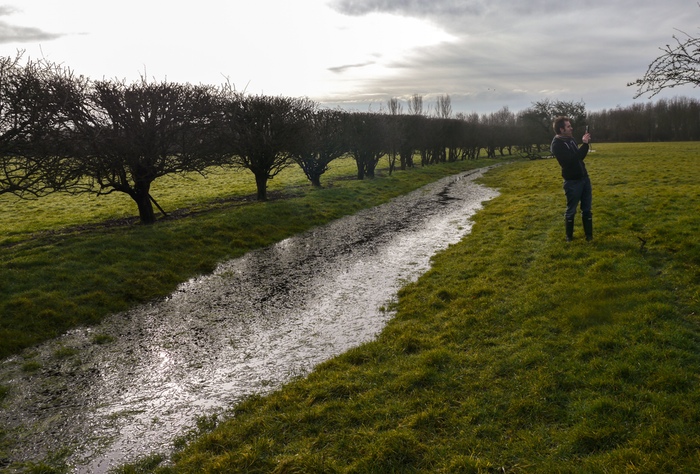
On the recce for The Second Shepherd's Play. Photo: Douglas Morse
On the recce for The Second Shepherd’s Play. Photo: Douglas Morse

As a cinematographer, it can often be tempting to make your shots look as slick and beautiful as possible. But that’s not always right for the story. And sometimes it can leave you nowhere to go.

Currently I’m shooting The Second Shepherds’ Play, a medieval comedy adaptation, for director Douglas Morse. The story starts in the mud and drizzle of three shepherds’ daily drudge, and in a Python-esque twist ends up in the nativity. The titular trio develop from a base, selfish, almost animalistic state to something much more divine.

So, much as my instincts filming the opening scenes yesterday were to have a shallow depth of field and bounce boards everywhere to put a sparkle in the shepherds’ eyes, this wouldn’t have been right for this stage of the film. We had to have somewhere to go, so I shot at around f9 all day with unmodified natural, overcast light. As we get towards the end of the story – we’re shooting roughly in story order – I’ll start to use eyelight and more sculpted illumination and reduce the depth of field, as well as switching from handheld to sticks.

Grading episode one of Ren

Similarly, grading episode one of Ren the other day, it was important to keep things bright and cheerful, so that later episodes could be colder and darker by comparison when things go wrong for our heroes. And playing the long game, I lit Ren herself with soft, shadowless light for most of the first season, so that as she develops from innocence to more of an action heroine in later seasons, her lighting can get harder and moodier.

Like all heads of department on a production, DPs are storytellers, and it all comes down to doing what’s right for the story, and what’s right for that moment in the story.

Giving Yourself Somewhere to Go

How to Correct Cosmetic Issues with Lighting

Redheads draw 800W eachEvery cinematographer needs to make the cast look good. Here are some quick tips for minimising blemishes and undesirable physical attributes. To any readers who have been lit by me, please don’t get a complex! These techniques can also be used to make someone who’s already flawless look even more amazing. Conversely, if you have a bad guy, or a character who needs to look ill, or a prosthetic monster make-up, you might want to do the opposite of what I suggest below.

  • Thinning hair – Avoid toplight and strong backlight, which will show up the scalp under the hair.
  • Wrinkles, spots and scars – Avoid lighting that will throw shadows from these features, e.g. cross-light (meaning light from the side). Instead put the key light as close to the camera as possible. Ideally use a soft source. If you’re still seeing shadows, add more fill.
  • Double chins, bags under the eyes, general appearance of tiredness – Use Health Bounce – a reflector placed under the talent’s face to eliminate shadows cast from above.
  • Small or deep-set eyes – Again, use Health Bounce. It will help get light into the eye sockets and put a sparkle of reflection in the eyeballs.
  • Weak jawline – Use three-quarter backlight (a.k.a. “kicker”) to create a rim along the jawline on one side.
  • Shiny skin – This may be a make-up issue, but you can help by using bounced light. Kinoflos, though they are soft sources, are amongst the worst culprits for creating shine.
  • Big nose – Keep the key light close to the camera to minimise the shadow the nose casts.

To learn more about lighting, check out my post on key light angles and my series of lighting techniques.

How to Correct Cosmetic Issues with Lighting

2015 Cinematography Showreel

I thought it was about time my showreel got an update, so here it is:

Please get in touch if you need a DP. I’ll consider most projects as long as they’re creative and not entirely unpaid.

These are the films, series and promos featured on the reel. If you want to find out more about any of these productions, you can find links in the showreel’s YouTube description.

* Note: I only worked on the trailer, not the film itself.

The music is “Up is a Down” from the OST of Pirates of the Caribbean at World’s End.

2015 Cinematography Showreel

DIY Interview Lighting for the Ren EPK

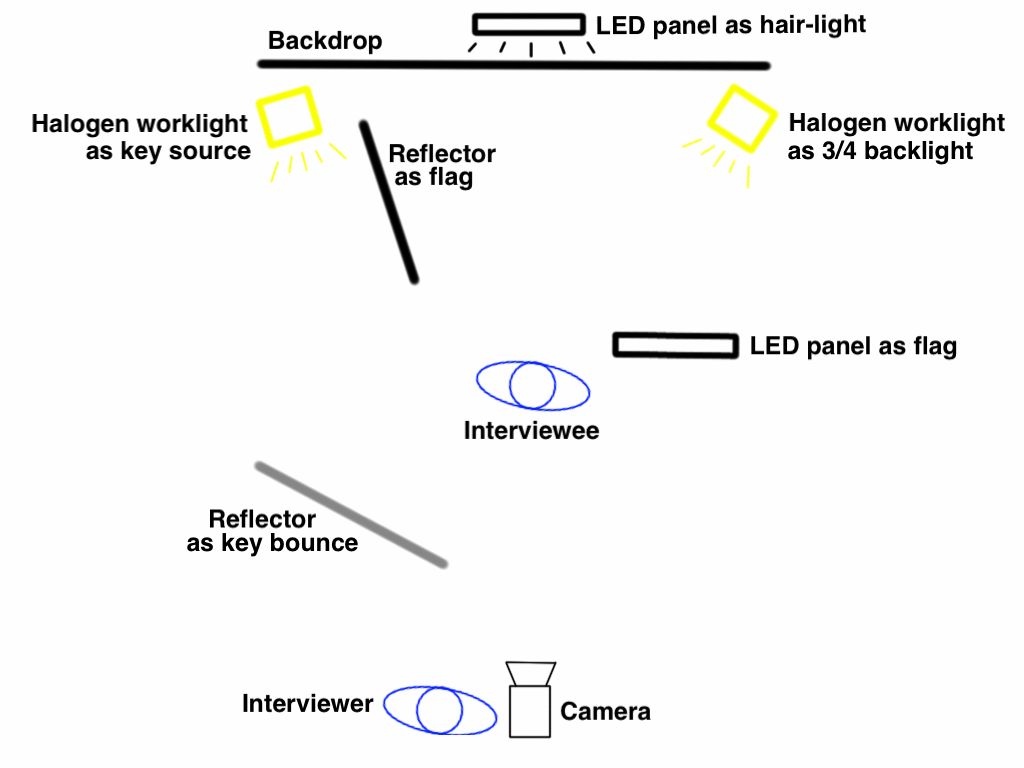
Left to right: the flipchart holding up the key bounce reflector, the halogen key source with the flagging reflector immediately to the right of it, the hair-light LED panel peeking over the backdrop above the hot seat, the LED panel acting as a flag, and the halogen 3/4 backlight.

Shooting interviews is a great way for a cinematographer to learn to light. I figured out loads about how human faces react to light of different kinds from years of experimenting on the talking heads in corporate videos. And because those interviews were often long and dull, there was plenty of opportunity to evaluate my lighting as I relaxed behind my locked-off camera.

At the weekend a “promo day” was held for Ren, the fantasy-action web series which you must all have heard of by now. The goal was to shoot publicity stills of the lead actors, and to shoot interviews for the EPK (Electronic Press Kit). We decided to stage these against a black backdrop.

Our venue was the office-cum-studio of the nascent Cambridge TV station, kindly lent to us for the day, but the only lighting kit we had were two Chinese LED panels, two halogen worklights and a couple of collapsible reflectors. I knew from the start that I wanted to use the worklights to key the talent, because halogen bulbs put out a much fuller spectrum of light than budget LEDs. Without a full spectrum you can’t capture all the skintones, and your subject will lack life.

SB8opNy

Here’s the lighting set-up I arrived at.

Sketch 2015-03-30 12_59_18

I’ll talk you through it.

The keylight (halogen, top left) bounces off the silver side of a reflector (resting on a convenient flipchart) to give a nice, soft source. The second reflector is used as a flag to stop direct light from reaching the talent.

The second halogen (top right) serves as a hot three-quarter backlight. One of the LED panels is used as a flag (!) to stop this backlight flaring into the lens.

The other LED panel pokes over the top of the backdrop to provide hair-light.

The white walls of the studio provide sufficient bounce to render a fill light unnecessary.

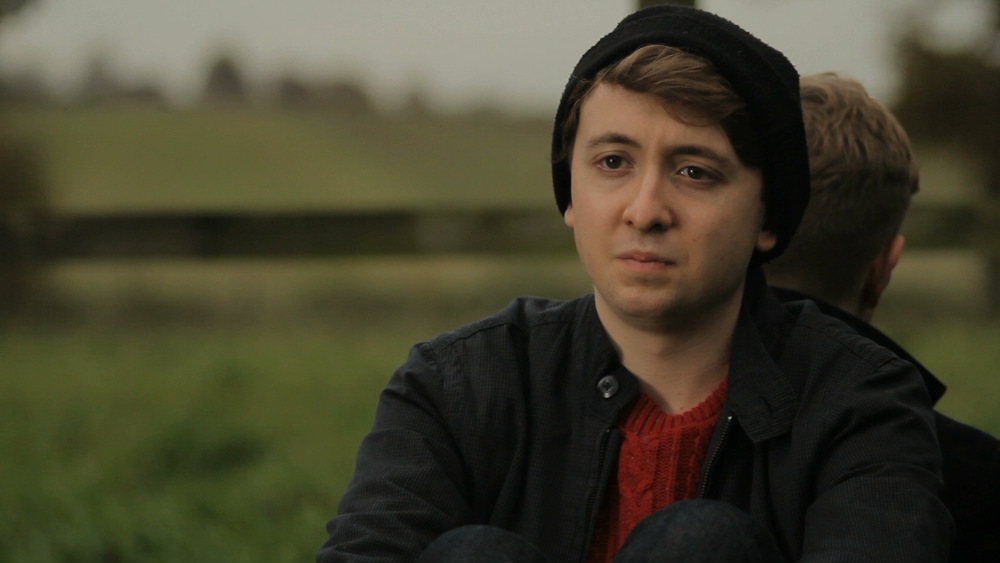
The result is a nice, slick, minimal look. The two backlights stop dark hair or clothes from disappearing into the background, and the soft key is flattering to all yet is at enough of an angle to provide shape and contrast – see how it outlines Sophie’s left cheek and jaw.

Blackmagic Production Camera 4K_1_2015-03-22_0220_C0002

Incidentally, we considered using a white backdrop for a little while. Had we gone with this, how would I have changed the lighting? I would have had to lose the backlights, because white rim-light will only make your subject bleed into a white background. The lamps thus freed could have been trained on the backdrop in an attempt to blow it out, but it’s questionable whether that would have been achievable with the Blackmagic’s dynamic range. Finally, I expect I would have introduced negative fill to get rich, black shadows on the talent’s up-side, in order to get some contrast into the image. More on lighting for a white backdrop here.

After the publicity shoot, we repaired to Kate’s place for a Q&A livestream. Here it is if you missed it. Subscribe to Mythica Entertainment’s YouTube Channel to make sure you never miss our behind-the-scenes videos and trailers.

www.rentheseries.com

DIY Interview Lighting for the Ren EPK

Lighting ‘3 Blind Mice’

A cinematographer should always be looking for ways to enhance the story through camerawork and lighting. 18 months ago I lensed a short film called 3 Blind Mice, which sadly seems permanently mired in no-budget postproduction hell. It comprises a trio of vignettes linked by a common theme. Each vignette featured two characters: one real, one supernatural or imaginary. In preproduction, director KT Roberts told me that she wanted the unreal characters to look somehow artificial, so I decided to give these characters each a perfect halo of backlight, whilst simultaneously eliminating all shadows on their faces. By contrast, the real characters would have no backlight and a grittier look to their faces with light and shade.

2-girl 2-monkey

The first vignette to go before the camera was an interior scene, so we sat the unreal character (Charlotte Quinney, above right) in front of the window for backlight, and used a 4 bank 4ft kinoflo and a collapsible reflector to evenly light her face.  The natural daylight was reinforced by a 1.2K HMI outside the window, gelled pink to match the colour scheme of the set dressing and suggest sunset. The real character (Libby Stewart Power, above left) was strongly lit from the right side by the “daylight”, with only a low level of fill from the reflector off left.

3-alive 3-dead

The other two vignettes were daylight exteriors. In both cases the 1.2K was used to halo the unreal character, with a reflector and silver foamcore used to fill in their faces (Will Attenborough, above right – third vignette). The 1.2K was used again when shooting the real characters, this time bouncing it off the reflector onto one side of their face. In the case of the final vignette, the other side of the real character’s face (Jack Mosedale, above left) was filled in by natural light, so we brought in a black drape hung from a flag arm as negative fill to combat this.

Shooting the real character in the final vignette. At left is the reflector bouncing the HMI (right). In the centre can be seen the black drape creating negative fill.
Shooting the unreal character, surrounded by matte silver foamcore (bottom right) and a collapsible reflector (bottom left) to remove shadows from his face. The 1.2K HMI in the background creates a halo of backlight around his head.
Shooting the unreal character, surrounded by silver foamcore (bottom right) and a collapsible reflector (left) to remove shadows from his face. The 1.2K HMI in the background creates a halo of backlight around his head.

How have you used lighting to help tell your stories?

Lighting ‘3 Blind Mice’

How to Make Chase Scenes Look Fast

Sarah on the roof rackThere are many ways to shoot a chase scene, but not all of them will give a sense of speed. Today I’m going to look at the chases in a couple of my old films and see what we can learn from them about enhancing the impression of speed.

First of all, here is the car chase from my silly 2002 action movie, The Beacon. (You may notice I’ve tried to increase the sense of speed through extremely fast editing, with only limited success.)

I think the least successful part of that chase, in terms of conveying speed, is the section between 0:20 and 0:45. Why? Because the cars are driving along open road with little except the occasional telegraph pole passing close to them. Parallax is incredibly important when shooting action – the concept that objects closer to the camera seem to move faster than those further away. So the hills and fields in the background seem to move quite slowly, even though the cars were going at a fair old lick. If there had been bushes or poles in the foreground, zipping past close to camera all the time, the side-on tracking shots would have been much more effective.

The Blackmagic, mounted on the dashboard with an old Hama suction mount, some cardboard, some gaffer tape, a wing and prayer
My Blackmagic, mounted for a driving shot in The Gong Fu Connection last year

The shots where the camera was mounted to the outside of the car look better, because we are close to the surface of the road, which therefore appears to zip by very quickly. Similarly, when the cars enter the narrow, wooded lane at 0:50, there is a great sense of speed because the passing greenery is only a foot or two from the car.

From around 1:20, as the cars cross an open field again, I took a different approach. I shot the vehicles on a very long lens, handheld, panning with them. Because panning – especially on a long lens – is a two-dimensional movement, it completely eliminates parallax. Everything that passes in the background moves at the same speed, determined entirely by the speed of the pan, which is in turn determined by the speed of the person or vehicle you’re panning to follow.

I applied some of these lessons to the foot chase in Soul Searcher, beginning at 1:08:30. Note the use of long lens pans, and tracking through narrow aisles for maximum parallax.

Speed is all relative, so it’s important to cut every now and then to a shot where your camera isn’t moving, giving the maximum relative velocity to your chaser and chasee as they zip past. Actually that’s not the maximum relative velocity; in the Soul Searcher chase you may have noticed  the odd  shot where someone runs towards camera as the camera simultaneously moves towards them.

So, in summary, here are my tips to satisfy your need for speed:

  1. Set the chase in narrow aisles, alleys, country lanes or roads with lots of streetlamps and telegraph poles, to maximise parallax.
  2. For side-on tracking shots, have plenty of foreground.
  3. When mounting a camera on a vehicle, get it as close as safely possible to the road or passing obstacles.
  4. Long lens pans give a great impression of speed, regardless of the setting.
  5. Let the characters pass a static camera occasionally, or counter-track towards them to increase their relative velocity.
  6. And one extra tip: if possible, have small patches of light and shade for the characters or vehicles to pass in and out of; this will further increase the impression of speed.

Want to know more about how The Beacon’s car chase was shot? Read this retrospective blog post.

Need your car chase to end with a crash? Here’s how I staged the car crash in The Beacon.

Want more tips for shooting in a moving car? Here’s how I did it last summer on The Gong Fu Connection.

How to Make Chase Scenes Look Fast

Shooting ‘Self Control’

On location in a cafe-bar in north London

Recently I photographed Self Control, a short film by writer-director Stanislava “Stacey” Buevich. Joanna Kate Rodgers plays Lily, a woman who struggles to control her violent urges when she’s befriended by an extremely annoying colleague.

A read of Stacey’s shotlist revealed a clear Wes Anderson influence, which was great for me because I immediately knew the parameters: flat angles, formal composition, deliberate 90 degree pans and lateral tracks. Stacey also referenced Ida, which led to several wide shots with lots of headroom, like this one…

Chair scene graded copy

Creating interesting shadows by using a partition window at the location.

Lighting wise, it was a limited kit (two tungsten 2Ks and a Dedo kit with only two functioning lamps). Bin bags and some sheets of thin white packing foam were used to eliminate or reduce natural light coming through offscreen windows, to give shape and contrast to the images. For a scene in the office kitchen, I fired one of the 2Ks through a high partition window to create some shadows.

I knew that I wanted to do something with lighting to clue the audience into Lily’s true identity (she’s the devil in human form). By the end of the first morning I’d settled on lighting her from below whenever possible. In this CU from an office scene, a blue-gelled tungsten 2K was fired down onto a white desktop in front of Lily…

A 2K fires down onto a white desktop to uplight Lily (frame grab below).

Lily office CU graded copy

For a yoga/relaxation scene on the second day, production designer Devon Barber conveniently dressed in a row of tealights on the floor in front of Lily, giving me a great excuse for satanic, fiery bottom-light. We set up a Dedo either side of camera, firing down into strips of kitchen foil so that the light would bounce back up onto Lily’s face. The Dedo dimmers were ridden by my ACs during takes to create a flickering effect.

Strips of tinfoil placed on the floor around the dolly track reflect two Dedolites (just out of frame either side) back up onto Lily's face. A 2K hidden behind the wall on the right provides backlight.
Strips of tinfoil placed on the floor around the dolly track reflect two Dedolites (just out of frame either side) back up onto Lily’s face. A 2K hidden behind the wall on the right provides backlight.

Yoga1 graded copy

To find out more about the work of Stacey and her producing partner Lara Myles, visit www.clockpunkfilms.com

Shooting ‘Self Control’

Mini-DV Memories

Goodbye, Mini-DV
Goodbye, Mini-DV

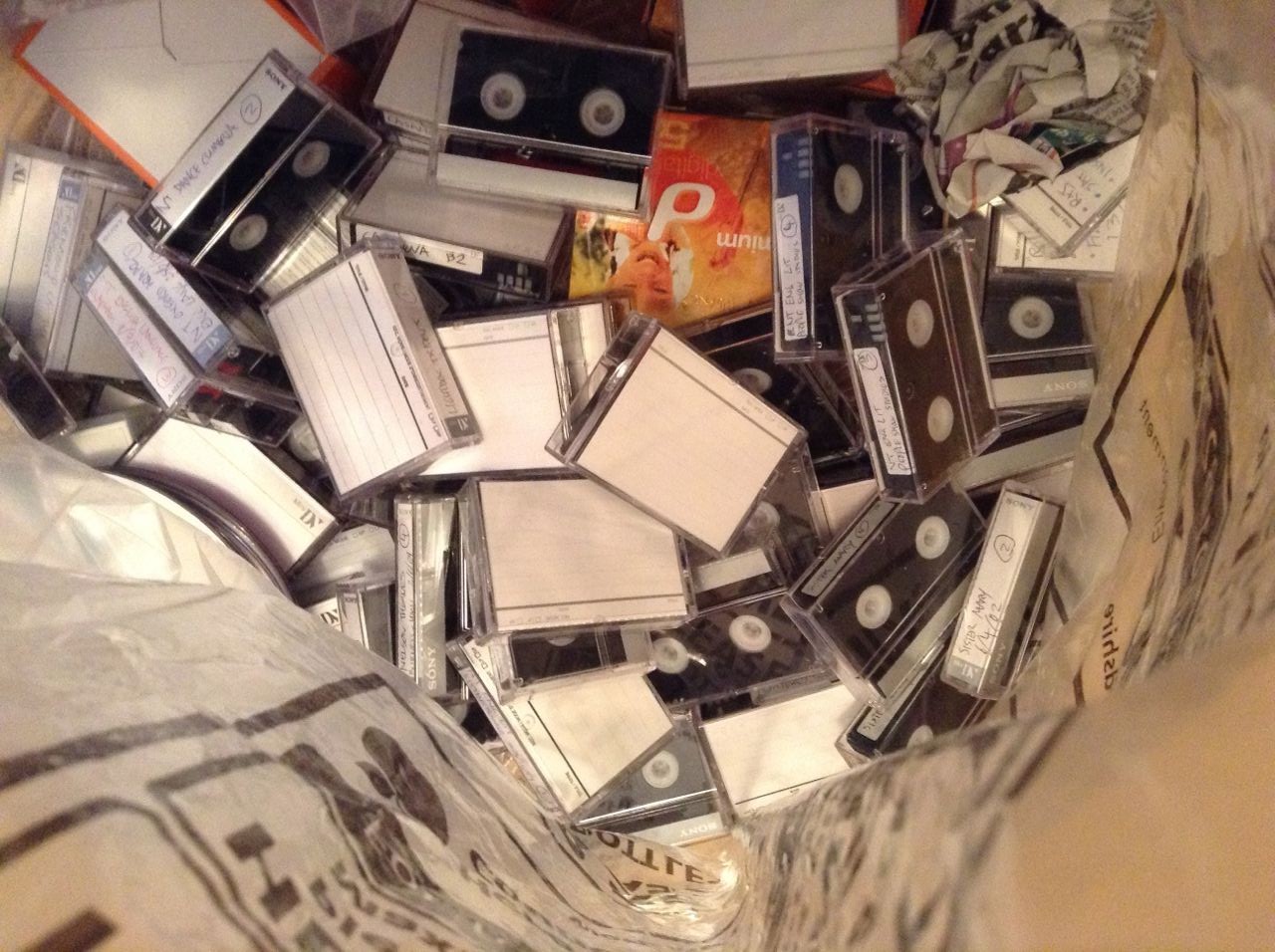
I’m moving soon, to a much smaller place, and lots of my stuff has to go. Amongst the things going into bin bags at the moment is a large number of Mini-DV tapes. Funny to think how ubiquitous they were in the micro-budget movie world just a few years ago, and now they’re a thing of the past.

How could a mere 720 x 576 pixels ever have looked good? (I frequently deinterlaced my DV footage and cropped it to 16:9, which must have reduced the vertical resolution to about 200 lines!) Cathode ray tubes certainly helped. CRT screens have a lovely softness, which I still prefer to LCDs, and that softness blurred the limited number of pixels into one organic image. Bright colours were particularly softened, a fact which Mini-DV compression exploited by devoting little data to chrominance, resulting in blocky saturated colours that looked terrible on your computer, but which blurred magically back into acceptability on your CRT TV.

An example of very blocky saturated colours in Soul Searcher

I don’t know how many stops of dynamic range a typical DV camera had, but it wasn’t many. Shooting in daylight was a nightmare; you could never find an aperture setting where you weren’t losing loads of detail in blown-out whites and/or crushed blacks. I embraced the contrast, lighting everything like film noir, which the format handled pretty well. In this 2005 featurette I outline the lighting techniques I learnt for Mini-DV. While incredibly crude by today’s standards, the underlying principles are still sound.

Shooting Soul Searcher on my XL1

The video bitrate of DV was just 25mbps. By comparison, my Blackmagic Production Camera shoots at 880mbps – that’s 35 times more detail per frame. Despite this, there were a few big theatrical films shot on DV, Lars von Trier’s The Idiots being first. Perhaps the best known is 28 Days Later, shot on a Canon XL1, a camera I owned for several years.

I loved that camera! And in some ways it was better than today’s ultra-HD cinema cameras. It was so light and comfy to put on your shoulder. You didn’t need a rig – it actually had a bloody hand grip next to the lens! And get this – it had a viewfinder! That came with it, no extra charge! There was no DITing, no dual system sound to sync. How easy it all was!

A nice bit of noir lighting from Soul Searcher

After shooting my feature film Soul Searcher and countless other projects I DPed, my XL1 met an ignoble end, its lenses Ebayed and its malfunctioning body Freecycled. I’d foolishly bought a Sony A1, an awful, awful HDV camera that I was stuck with until I joined the DSLR revolution in 2011.

minidvThat A1 will not survive my moving cull either. It’s languished in a drawer for the last few years, my sole remaining means of playing back old DV tapes. Now the tapes are going, so will the camera.

So goodbye, Mini-DV. I cut my teeth on you. Your accessibility allowed me to learn my craft, and your shonky dynamic range forced me to learn to control light. For that I will always be grateful.

Mini-DV Memories