You asked the questions and the cast of Stop/Eject have answered them.
Thanks to Gerard Giorgi-Coll for filming this, www.soundtreemusic.com for the studio space and everyone who submitted questions. Sorry there wasn’t time to include them all.
You asked the questions and the cast of Stop/Eject have answered them.
Thanks to Gerard Giorgi-Coll for filming this, www.soundtreemusic.com for the studio space and everyone who submitted questions. Sorry there wasn’t time to include them all.
Borderlines Film Festival draws to a close this weekend. The UK’s largest rural film festival, centred around The Courtyard here in Hereford, is an event I have a long-standing association with. At the inaugural festival in 2003 I had a little stall selling VHS copies of The Beacon and displaying a few pieces of early concept art for an ambitious fantasy action movie called Soul Searcher. Two years later Soul Searcher premiered at Borderlines with great success. (Read my blog entry in which I total up the Ego Puff Points I acquired that weekend.)

Aside from a screening of Stop/Eject’s trailer, my involvement in this year’s festival was purely spectatorial. And although I normally avoid reviewing films on this site, I’m going to make an exception and say a few words about each of the events and screenings I’ve seen at Borderlines 2013. I should point out that Borderlines isn’t a film festival in the normal sense of the term; rather than inviting submissions of unreleased work, the organisers choose the best films released in the last twelve months along with some classics.
Chris is the Herefordshire-born director of photography behind Kes, The Reader, Notes on a Scandal, The Killing Fields and many others. I’m embarrassed to say I haven’t seen a single one of his films, but I was still keen to attend to further my understanding of the art of cinematography. In this respect I was slightly disappointed, as time constraints and a quite understandable desire not to bore what was largely a lay audience meant that there was little opportunity for Chris to get into the nitty-gritty of his approach to lighting. That being said, there were one or two useful gems and I came away with a general impression of an extremely modest man with a profound respect for the fragility of natural light and a gentle touch in moulding it.

Directed by Ben Wheatley (The Kill List) and starring Alice Lowe (Garth Marenghi’s Dark Place), Sightseers is a black comedy about a woman who escapes her overbearing mother to go on a caravanning holiday with her closet pscyhopath of a boyfriend (Steve Oram). The boyfriend promptly begins murdering people at the slightest provocation (e.g. littering) and Lowe soon joins in in an attempt to impress him. While not the kind of film I’d normally choose to see, I’d heard good things about it and, sure enough, it was great fun. Lowe and Oram, who also wrote the script, give brilliantly judged comic performances in a film which soundly lampoons the stereotypical British holiday (rain, crap caravans, even crapper tourist attractions). Heartily recommended.

Winning Best Actress for Jennifer Lawrence at the Academy Awards and Best Adapted Screenplay for David O. Russell (who also directs) at the Baftas, Silver Linings Playbook has certainly been much talked about in recent weeks. I was surprised to find the film is really just a formulaic romantic comedy, albeit one that starts off in darker territory than most. Bradley Cooper plays a manic depressive just out of a psychiatric hospital who strikes up a relationship with Lawrence’s recently widowed character after she tells him she can get a letter to his estranged wife. In return, Cooper must learn to dance so he can partner with Lawrence in an upcoming contest. Silver Linings Playbook is solidly acted by both the leads and the great supporting cast, which includes Chris Tucker and Robert de Niro. It’s also consistently funny throughout, but like many romcoms it sheds its unique elements as it enter its third act – forgetting the mental health issues of its lead characters – in order to play out the same old clichés. This is particularly disappointing from such a lauded film, but depsite this flaw I thoroughly enjoyed the movie.

Although not a particular fan of Hitchcock, I was keen to see Blackmail – one of the portly auteur’s silent films – because it was a unique opportunity to see a movie with live musical accompaniment. This came courtesy of Stephen Horne, a master of the art – so much so that he somehow played the flute and the piano simultaneously at a couple of points. What staggered me was the revelation that there was no score; the music was entirely improvised. As for the film itself, it had been digitally remastered to such a high quality that I sometimes forgot that I was watching a movie over 80 years old – often only the captioned dialogue, under-cranked gaits and occasional clunky pacing gave it away. The cinematography was beautiful, with some typically inventive camera moves from Hitchcock and a lot of charming humour which held the attention despite a very slight plot (detective’s girlfriend commits murder in self-defence and tries to escape the law). All in all, this screening was an enriching experience and it was very gratifying to see the accompanist’s amazing art kept alive and kicking.

Best known as the dead one from Monty Python, Graham Chapman succumbed to cancer in 1989, but not before writing his autobiography and recording it as an audiobook. That recording forms the spine of this film, as Chapman narrates his (alleged) life story from beyond the grave while fourteen different animation houses provide the visuals. While not a Monty Python film, there are many common traits – surreality, silliness, rudeness and the vocal talents of messrs. Jones, Gilliam, Palin and Cleese (but not Idle). In a non sequitur worthy of Monty Python, Cameron Diaz cameos as the voice of Sigmund Freud. And like much of the Pythons’ work, A Liar’s Autobiography is never quite as funny as you hoped it would be. This fact, coupled with a highly episodic narrative, meant the film was just starting to outstay its welcome when it wrapped up and ended. Nevertheless, it’s a delightfully creative film and one which seems a fitting tribute to a man who was not the messiah, but was definitely a very naughty boy.
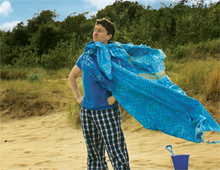
The network presented five pieces by its members: four short films and the trailer for Stop/Eject. The first short was Injured Birds, a gentle tale of an 11-year-old boy’s search for adventures in a rural town during the summer holidays. This was the second time I’d seen it, and I again enjoyed its charm, warmth and humour. Two short films directed by Rachel Lambert for The Rural Media Company were screened, both made on a participatory basis with people living in sheltered housing. Getting Close was a low-key drama highlighting some of the issues faced by the participants, while A Letter Every Day took the form of an oral history in which an elderly lady recounted her brief marriage to a man who was tragically killed in the second world war. This latter was an engaging story and cleverly illustrated with tableaux of miniature figurines found by the camera amongst the ornaments of the lady’s living room. But the highlight of the evening for me was Men Can’t Make Beds, a live action slapstick comedy in the vein of Tex Avery cartoons. Directed by David Jones of Wind-up World Films, the film made great use of a delightfully rubber-faced lead actor (Lawrence Russell) and exaggerated music and sound design to produce five minutes of wonderful silliness.

Keanu Reeves produces and interviews for this documentary about the transition from photochemical to digital technology, not just in capturing motion picture images but in editing them, manipulating them for visual effects, exhibiting them and archiving them. Views are canvassed from some of the biggest names in the business: George Lucas, who drove much of the change, James Cameron, a staunch supporter of digital 3D filmmaking, Christopher Nolan, one of the few directors still shooting on film and physically cutting his negative, and many others. Sadly, the film doesn’t let any of these filmmakers go into great depth, instead giving a history of the last twenty years’ technical upheavals, with which most viewers (if they’re interested enough to see Side by Side in the first place) will already be familiar. So while containing a few telling nuggets (such as several DPs bemoaning the lack of mystique and power they now wield when everyone can see the images they’re capturing immediately on set), this documentary overall has the feel of a slightly overlong DVD bonus feature.
Thanks to the team at Borderlines for a great festival.
I have to share this amazing short film I discovered recently thanks to nofilmschool.com. HENRi is a 20 minute crowd-funded sci-fi movie about a computer that builds a robot body for itself and tries to become human. It stars Margot Kidder (best known as Lois Lane in the original Superman movies) and Keir Dullea, who flips his famous role as David Bowman in 2001: A Space Odyssey to play the titular computer. But the human characters are only a small part of this film. Shot on beautiful quarter-scale sets, the real star is the HENRi robot, realised through a combination of rod puppetry and first rate CGI. Trust me, this is one of the most unique and awesome shorts you will ever see and well worth every penny of the £1.19 rental fee.

Recently I gave a talk on the whole process of making Stop/Eject to CEMRIAC, the Central and East Midlands Region of the Institute of Amateur Cinematographers. I was subsequently asked to summarise the talk for the organisation’s newsletter, so I thought I’d share that summary with you today. Please get in touch if you’re interested in me giving this talk at your event.
Stop/Eject is a 17 minute fantasy drama currently in the latter stages of postproduction. It’s the story of a young woman who, following the sudden death of her husband, discovers a mysterious old tape recorder that can stop and rewind time. As the co-writer, director and cinematographer of Stop/Eject, I was able to take the CEMRIAC audience through the entire process of making the film, with plenty of behind-the-scenes clips and photographs to illustrate the creative journey.
I began by discussing crowd-funding, the method by which myself and producer Sophie Black financed Stop/Eject, whereby a large number of people each contribute relatively small amounts of money via a website. I looked at the various things to consider when launching a crowd-funding campaign: selecting a suitable “platform” website, deciding on a target and duration for the campaign, creating a pitch video, choosing what rewards to offer sponsors, and promoting the campaign. I explained how, with the liberal use of social media and emails, and a boost courtesy of a report on the BBC’s Midlands Today, Stop/Eject reached its £2,000 funding target.
Moving on to preproduction, I gave some advice on finding locations and gathering a cast and crew together. The maxim “if you don’t ask you won’t get” is an excellent one to remember here. I explained how Stop/Eject floundered a few weeks before production after several key people pulled out, but Sophie secured a new lead actress at the eleventh hour in the form of Georgina Sherrington – a former child actress who starred in a popular ITV series – simply by having the nerve to ring around agents.
After some brief discussion of scheduling the shoot, I turned to the subject of production design, explaining how visual themes and a restricted colour palette can help your sets, props and costumes have a sense of consistency and aid story-telling.
I then showed the audience the storyboards for a key scene, elucidating the reasons behind my choice of shots, before screening behind-the-scenes footage of those shots being captured during production. Further behind-the-scenes clips demonstrated some of the challenges of filming Stop/Eject, including a scene on a weir that became treacherous after heavy rains flooded it. I discussed the use of a Canon 600D DSLR to shoot the movie and the delicacies of directing strongly emotional scenes.
Next I talked about lighting, revealing how Stop/Eject was lit with a combination of standard film lamps like redheads, and less conventional sources like camping lights and halogen work lamps. An exploration of three scenes set in the same room showed how different looks can be created through lighting.
Following a quick look at the costs of production and preproduction, I moved on to discuss editing. Returning to the scene earlier viewed in storyboard form, I screened several different iterations of the edit to show how the scene evolved to become narratively clearer as well as better paced. After a look at some of the work which is currently going into Stop/Eject’s visual effects, I concluded the presentation by screening the first five minutes of the film in its present form.

When we launched the postproduction crowd-funding campaign for Stop/Eject last spring, I promised a “People’s Choice Reward” when we reached our target of £1,500. Well, we reached it in January, we canvassed opinion, the People spoke, and verily you requested an interview with the cast for which you the People submit the questions. And lo, it shall be done.
You have until next Wednesday (March 13th) to submit your question(s) for Georgina Sherrington, Oliver Park and Therese Collins. Email them to info@stopejectmovie.com with “People’s Choice Reward” in the subject line. The best ones will be posed to the actors in a specially shot interview which will be posted online in a couple of weeks.
If you’re stuck for ideas, have a read about the cast below…

Georgina Sherrington (born 26 July 1985) spent her early years playing the the lead in the series The Worst Witch and Weirdsister College. The series was shown on ITV in the UK, ABC in Australia, HBO in America and on various other networks worldwide. In 2000, Georgina won a Young Artist Award for Best Performance in a TV Comedy Series. In 2008, Georgina completed a degree in English Literature at Princeton University. Since graduating, she has worked on the LA, New York and London Fringe and won Best Actress in the London Solo Festival last year. She also produced and starred in the film Steamboat, and will soon be seen in cinemas in the horror film, Tag.
Visit her website at www.georginasherrington.com

Oliver Park is an award-winning actor. His first major film role was Kai in the multi award-winning Shank, and as a result of this performance the production team behind the film wrote parts especially for Oliver in their two follow-up productions – Release and Buffering. After shooting the feature film Just Ate early in 2012, Oliver won the Best Actor award for his performance in the short film Wakey Wakey at the ITV West Film and Television Awards. Later that year he was approached by Darlow Smithson Productions to appear in an episode of Seconds to Disaster for National Geographic. Since then he has gone on to take leading roles in several other features including: Dark Vision, Tidal, the comical role of Tom in Tenants and the challenging role of Shaun in Fratton by IVN Productions. Oliver is currently involved in several projects including the feature film One by Reel People Films, David S. Goyer’s Da Vinci’s Demons and a film for the new X-Box. Visit his website at www.oliverpark.co.uk

Therese has worked in theatre for 27 years and is returning to acting after a break in which she concentrated on writing. Her play Remendos is currently being performed in Portugal. Her acting career has been varied, ranging from international tours in plays such as The Bridge – by Hanyong Theatre Company touring the UK, South Korea, Japan and Australia – to Lucifer in Immaculate in a small theatre in the West Midlands. She spends most weekends in the summer touring in a giant silver whale for the company Talking Birds. She has recently worked on Doreen’s Story Episode One, a Youtube pilot for a Black Country comedy. Therese has previously worked with Neil Oseman on several participatory dramas – playing a range of single mothers! – and she is absolutely delighted to have been part of Stop/Eject.
Photography by Paul Bednall – paulbednallphotography.co.uk
Here are some more disjointed updates from the post-production of Stop/Eject:
Scott Benzie has written all of the score now. A few cues just need tweaking before we start to think about the logistics of recording it with live players.
The ADR session has been organised for next week. Standing variously for Automated Dialogue Replacement or Additional Dialogue Recording, ADR is the process of dubbing lines because of intrusive background noise or to adjust a performance, or even to add entirely new lines to clarify story points. This will be the first time the principal cast have been reunited since the shoot almost a year ago, and we’ll be taking the opportunity to record some extra bits and pieces for podcasts, DVD extras and sponsor rewards. Lots more news on that to come in the near future.
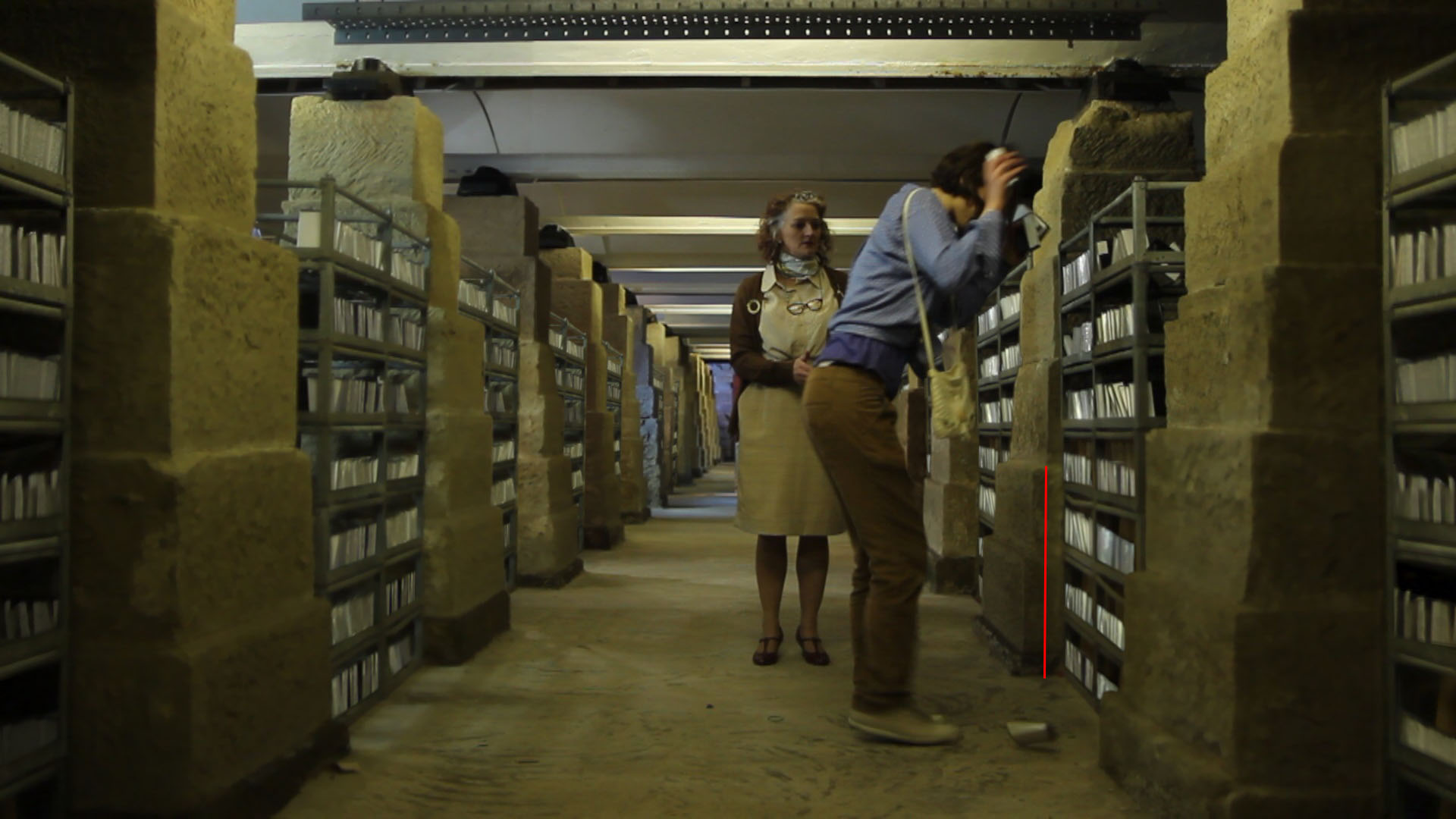
Work is well underway on visual effects. As expected, there has been a certain amount of attrition amongst the VFX artists, as paying projects understandably take priority. Nonetheless, several key shots involving frozen time and cloned cassette tapes are finished or nearly finished.
The opening and closing titles are being designed by Andy Roberts of speakersfive, who recently laid out the lovely illustrated script books for sponsors.
Two of the main extra features for the DVD and Bluray are near completion, with work on the menus underway and some commentaries to record in the coming weeks. Sophie Black and Chris Newman will soon be shooting another featurette in their part of the world, along with a last couple of pick-ups for Stop/Eject itself.
On Sunday I gave a talk about the whole process of making the film to the lovely folks at CEMRIAC in Worcester, and next Monday The Courtyard in Hereford will screen the trailer as part of Borderlines Film Festival.
In a nutshell, it’s all happening.
Over a month ago I wrote a post about the advantages of computer generated imagery over more traditional ways of creating visual effects. Apologies for the delay, but here at last is the flipside of that coin: the advantages of old-school technqiues.
Here’s an alternate ending from Blade (1998)….
It was ditched after test audiences responded poorly to it. They had invested in the film’s villain throughout the movie and they felt cheated to see him turn into a CGI blobby thing for the final battle. The filmmakers cut the scene and replaced it with a sword duel between Blade and the baddie in human form.
This highlights CGI’s chief difficulty – it’s unreality. There is something disappointing about being served up an image that has been created with ones and zeros. It feels like a cheat. And that can take an audience out of the story.
In contrast to CGI, model shots tend to look more realistic but move less realistically, due to the unavoidable physics involved. But there can often be a charm to this motion that allows us to forgive it. Indeed, I think the best reason to use traditional effects today is when you want things to look unreal in a very appealing way. Take for example Lemony Snicket’s A Series of Unfortunate Events, which used forced perspective and painted backdrops to create a beautiful fantasy world. Or The Life Aquatic’s stop motion marine creatures…. except that the animation was so good they looked real.
Some other advantages of traditional techniques over CGI:
In writing this post I’ve realised how CGI has advanced even in the few years since I stopped actively developing The Dark Side of the Earth (an ambitious fantasy feature intended to include stop motion, puppetry, miniatures and matte paintings).
Almost no-one today is still shooting miniatures without enhancing them digitally. Savvy filmmakers like Peter Jackson, Duncan Jones and Sam Mendes combine models and CGI to get the best of both worlds. It seems traditional techniques alone can really only be used now as a deliberate stylistic choice. That saddens me. I’d be delighted if anyone can prove me wrong.
If anyone out there is contemplating using miniatures in their indie film, here are some tips…

This Sunday I’ve been invited to give a talk on the making of Stop/Eject for the Institute of Amateur Cinematographers. Tickets are also available to the general public for £6.50, and the event takes place at Perdiswell Young Peoples’ Club in Worcester from 9:30am. The other speakers are producer/director Ben Lewis discussing documentaries and the internet, and award-winning fimmaker Howard-Smith Laci on working with actors.
My talk will cover the whole process of making Stop/Eject to date, covering crowd-funding, casting and crewing, finding locations, scheduling, design and visual themes, storyboarding, the budget, the challenges of the shoot, lighting, the evolution of the edit, and visual effects. There will be plenty of clips throughout, including excerpts from the forthcoming DVD documentary Record & Play, and specially prepared material illustrating the evolution of a scene from the script through shooting to various iterations of the edit. My presentation will end with an exclusive screening of the first five minutes of Stop/Eject in rough cut form.
You can book tickets on the CEMRIAC website.
Giving talks is a great way to raise the profile of both yourself and your projects, and I’d advise any filmmaker to do it if they can. Here are some tips:

After an unseemly delay, here’s the third and final part of my series about lighting Ashes, Sophie Black‘s dark fantasy drama. Read part one here and part two here.
For the fantasy world dubbed “Toybox” by the production team, Sophie wanted a gritty, grainy, comfortable look. She was keen to shoot the scene on Super-8 and wanted to make full use of that high contrast celluloid look with harsh spotlighting, deep shadows and vignetting.
The biggest problem for me was how to get a spotlight effect in a fairly small room with an ordinary daylight fresnel. To get a circle of light small enough to fit entirely within the camera’s frame required the lamp to be much further from the subject than was possible within the space. I suggested shooting at night and putting the light outside the window, but the schedule couldn’t accommodate that.
The problem was solved by bouncing the light off a circular mirror. This masked the light into a relatively sharp circle, because the lamp was the entire length of the room away from the mirror. (The closer a mask is placed to a lamp, the fuzzier the edge of the mask will appear when thrown on the subject, so simply cutting a circle out of cardboard and placing it in front of the lamp would have given us a blob of light instead of a defined circle, because there wouldn’t have been enough space to put the cardboard far enough away from the lamp.)

Not only did the mirror allow us to achieve a key shadow puppet shot which Sophie had conceived, it also enabled us to create a sweeping light effect for other parts of the sequence. Inspired by one of Lana del Rey’s music videos, Sophie wanted the effect of headlights passing by outside a window. We were able to do this simply by panning a redhead across the mirror.
The Toybox scene was shot both on Super-8 (by Col) and on my Canon 600D as a back-up. I set the ISO to 1600 on the DSLR to bake in a grainy look. I won’t do this again, however, because I failed to take into account the effect of the camera’s H.264 compression. The grain looked fine on the viewfinder, but once compressed and recorded there were lots of blocky artifacts. I hoped that the Super-8 film would come out well so this sub-standard digital material wouldn’t have to be used, but alas there were some focus issues and several of the shots were inexplicably missing from the reels when they came back from the lab. Fortunately the day was saved by a talented VFX artist who applied a very convincing Super-8 look to the 600D footage, which hides the compression artifacts.
Ashes is nearly finished now and we’re all very excited to see how it’s turned out. Meanwhile, here’s the trailer:
How do you create nice, thick, artificial rain for a dramatic fight scene, with no budget to speak of? Here’s how we did it on Soul Searcher.
This is a clip from the feature-length documentary Going to Hell: The Making of Soul Searcher. You can rent the whole doc digitally from the Distrify player below for a small charge, and you can watch Soul Searcher itself for free at neiloseman.com/soulsearcher
The clip shows how we created a fake downpour for a fight between the outgoing Grim Reaper, Ezekiel (Jonny Lewis, doubled by Simon Wyndham), and his replacement, Joe (Ray Bullock Jnr.). Ironically it was actually raining for real, but not heavily enough to show up on camera with the impact we needed. We’d had some rain bars made (lengths of hosepipe with holes drilled in them, strapped to bamboo canes) but we found the water squirted out in unrealistic jets. Luckily the location – Westons Cider in Much Marcle, Herefordshire – had a high pressure hose and we found that by pointing it upwards the water back down looking like rain.
See last week’s post for how to add rain (and snow) onto scenes after the fact.