“Above the Clouds”: Week 1

Principal photography has begun on my latest feature, Above the Clouds, a comedy road movie written by Simon Lord and directed by Leon Chambers. The film stars Naomi Morris as Charlie, an 18-year-old learner driver who sets off on an epic road trip from Margate to Skye with a ‘gentleman of no fixed abode’ as her responsible adult.


imageDay 1 / Monday

It’s a very different shoot to my last one. With a five figure budget and a total crew of about ten or twelve, we’re lean and mean. About a quarter of that crew are working for me – 1st AC Rupert Peddle and 2nd AC Max Quinton, veterans of Heretiks, and my long-serving one-man lighting team, Colin Smith. We’re shooting on an Alexa Mini. Although it’s lovely how much lighter it is than the full-size model, it’s quite fiddly. It doesn’t help that the EVF is faulty, and while we wait for a replacement Max has to change many of the settings via a smartphone app. The lenses are Arri/Zeiss Ultra Primes, my first time with these, and I’m once again using a half Soft FX filter to take off the digital edge.

We start with a dining room scene. As many of the sets will be, it’s built in director Leon Chambers’ living room, so it’s not very big. We’re prepared for this though, and Leon has purchased several Rosco Litepads in 6″x2″, 4″x4″ and 12″x12″ sizes. We stick a 4×4 to the wall behind each character as hairlights, and rig the two 6x2s, at a perpendicular angle to each other, to a flag arm. Wrapped in unbleached muslin, they’re a pleasing key.
image

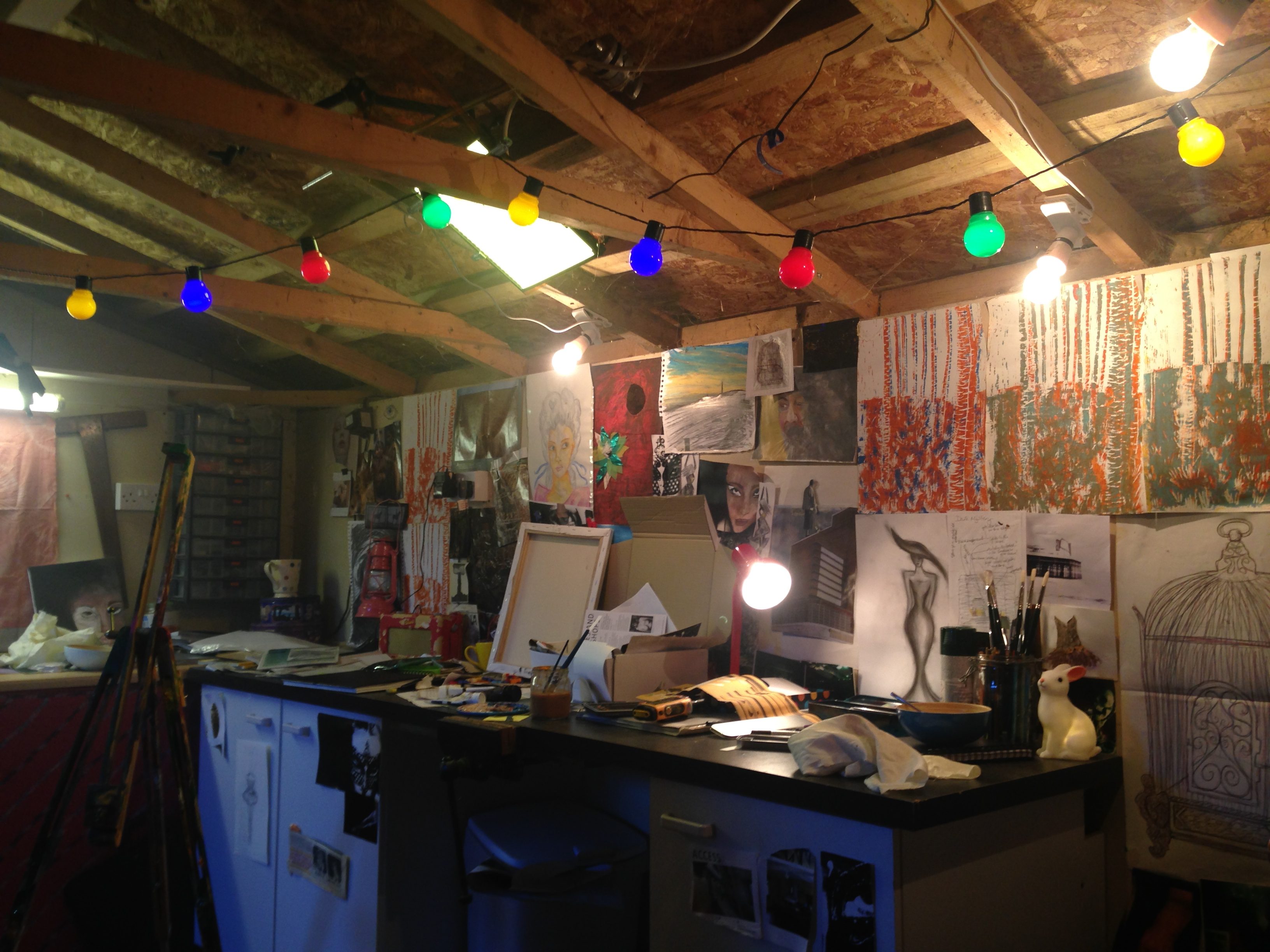
After lunch we move into the shed, dressed as a young artist’s studio, complete with coloured string lights. Colin and I add three tungsten bulbs as additional practicals, plus a couple of the Litepads amongst the rafters. Outside the window we place a 4×4 kino or 2.5K HMI depending on the time of day.
 

imageDay 2 / Tuesday

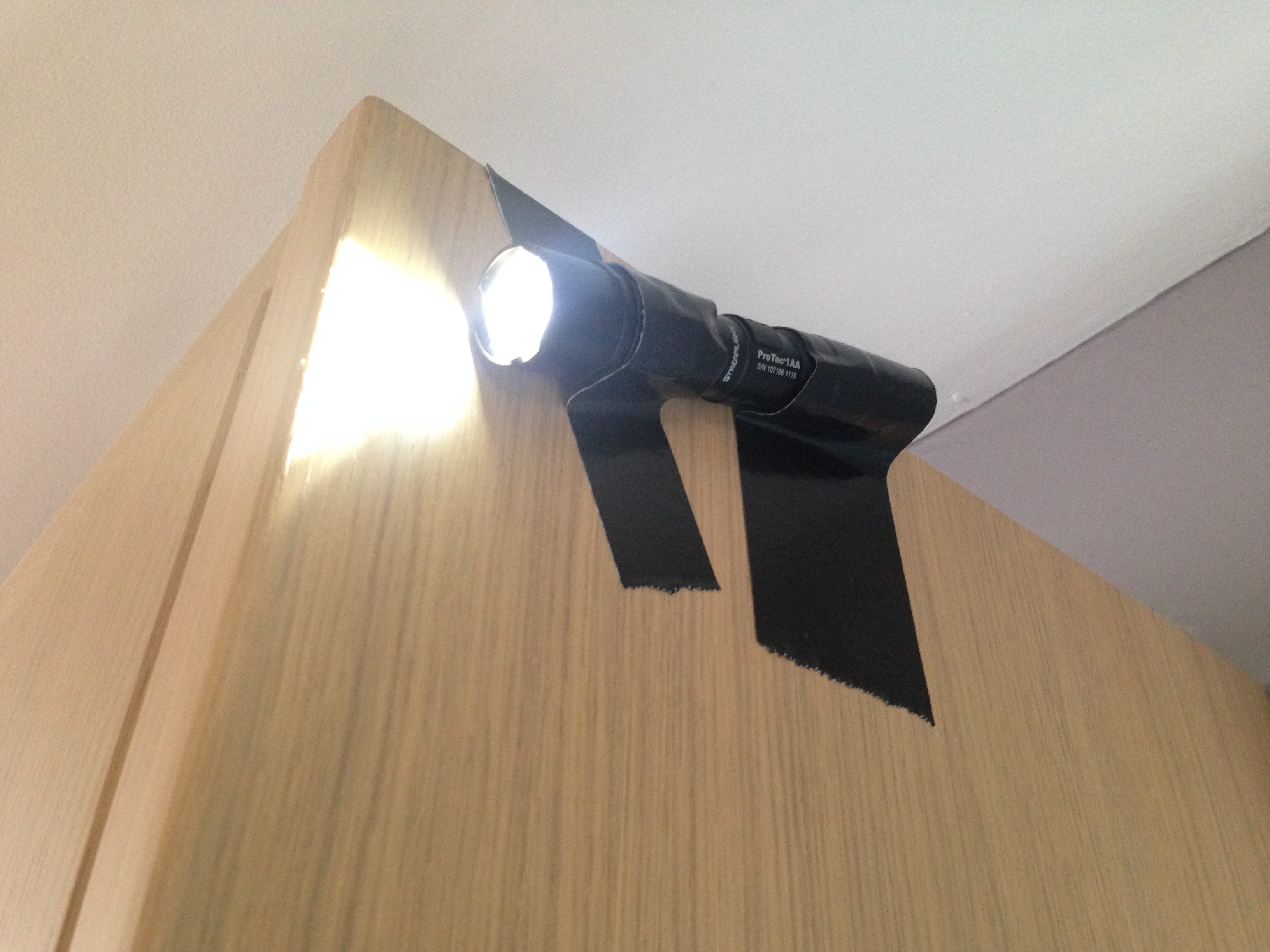
Today we’re in Leon’s kitchen primarily, but with several of the scenes spilling into the hall and porch. We put our two HMIs outside the windows and initially use an LED panel on top of a cabinet and my brand new torch gaffered to the side of a cabinet to augment these for a scene that is meant to have an evening feel. Then we move onto a proper daylight scene and those have to go, to ensure all the light seems to be coming in from outside. The other reason they have to go is that we are now doing an ambitious steadicam shot which moves from the kitchen to the hall and porch, then back into the kitchen, then back into the hall and porch as characters exit the house. To the two HMIs we add the 4×4 kinoflo shining down the stairs, augmenting the natural light coming down from the landing windows. Thanks to the Alexa’s large dynamic range, we are able to accomplish the shot without any clipping, even when the door opens and when the characters move through the darkest part of the hall. The rest of the day passes in variations on the theme. I quickly find that the window positions are limiting and a fair bit of head scratching to make the angles work goes on before we wrap.


Day 3 / Wednesday

Back in the kitchen, one of our first scenes involves heavy smoke as a story beat. I decide to go with purely natural light, so that it’s soft enough to illuminate the smoke evenly, rather than producing shafts or pools.

After lunch we shoot a dusk scene in broad (albeit overcast) daylight. I cool down the white balance to 4300K and use a .9 soft edge graduated ND, just edging into frame, to bring down the sky a little.

Later we move to a garage, a scenario in which all the light is coming from outside through the door. Although this looks flat when the camera is looking into the garage, I decide not to fight that. When we look the other way I use matt silver bounce and a 4×4 kino to fill in.


Day 4 / Thursday
image

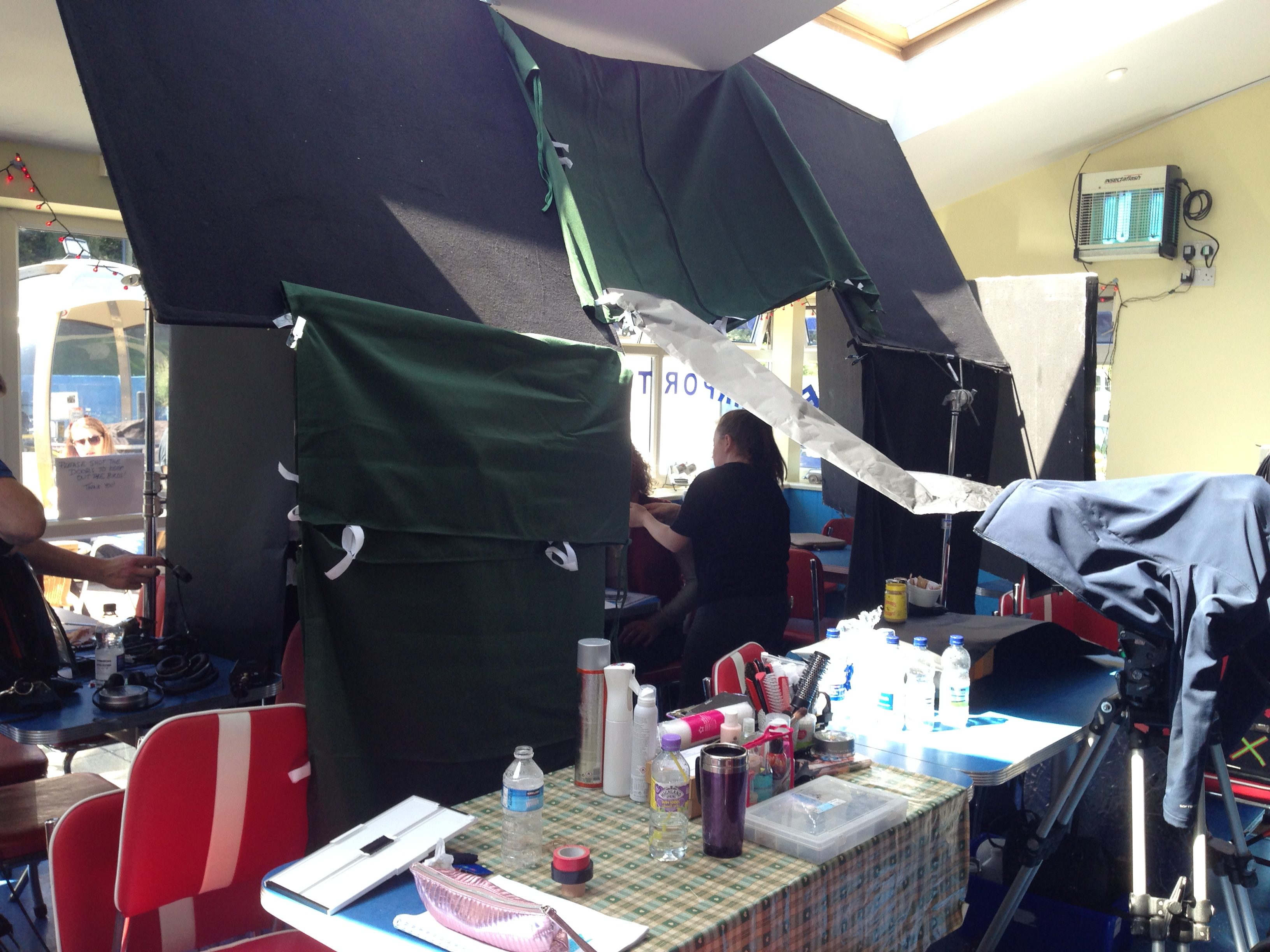
We’re on location at a roadside cafe, and I agonised long last night about how much lighting gear we should take. We don’t have transpo or security so reducing the kit means a lot less hassle for us all, though generally I prefer to have everything to hand just in case. Ultimately I decided to keep it small – just LEDs, a 4×4 kino and then flags and bounce – knowing from location photos that there will be plenty of natural light.

In fact there’s too much. The photos failed to warn me of the skylights, which take a while to block with floppy flags and Easy Up walls clipped between them. Leon has set me up for success though by choosing to shoot the scene with the windows (and therefore the key light) in the background. Flagging the skylights and ambience allows the window light to wrap around the actors in a pleasing fashion, and makes for great modelling in the close-ups, with the window light hitting the talent’s down-sides. This natural light approach requires you to work with and respond to that natural light as well, and so I embrace the appropriate ‘broken key’ look that the sun position creates on male lead Andrew, a homeless man with a troubled past. (‘Broken key’ is a term Shane Hurlbut uses to describe a key light striking the talent not quite from the side, but slightly behind.)

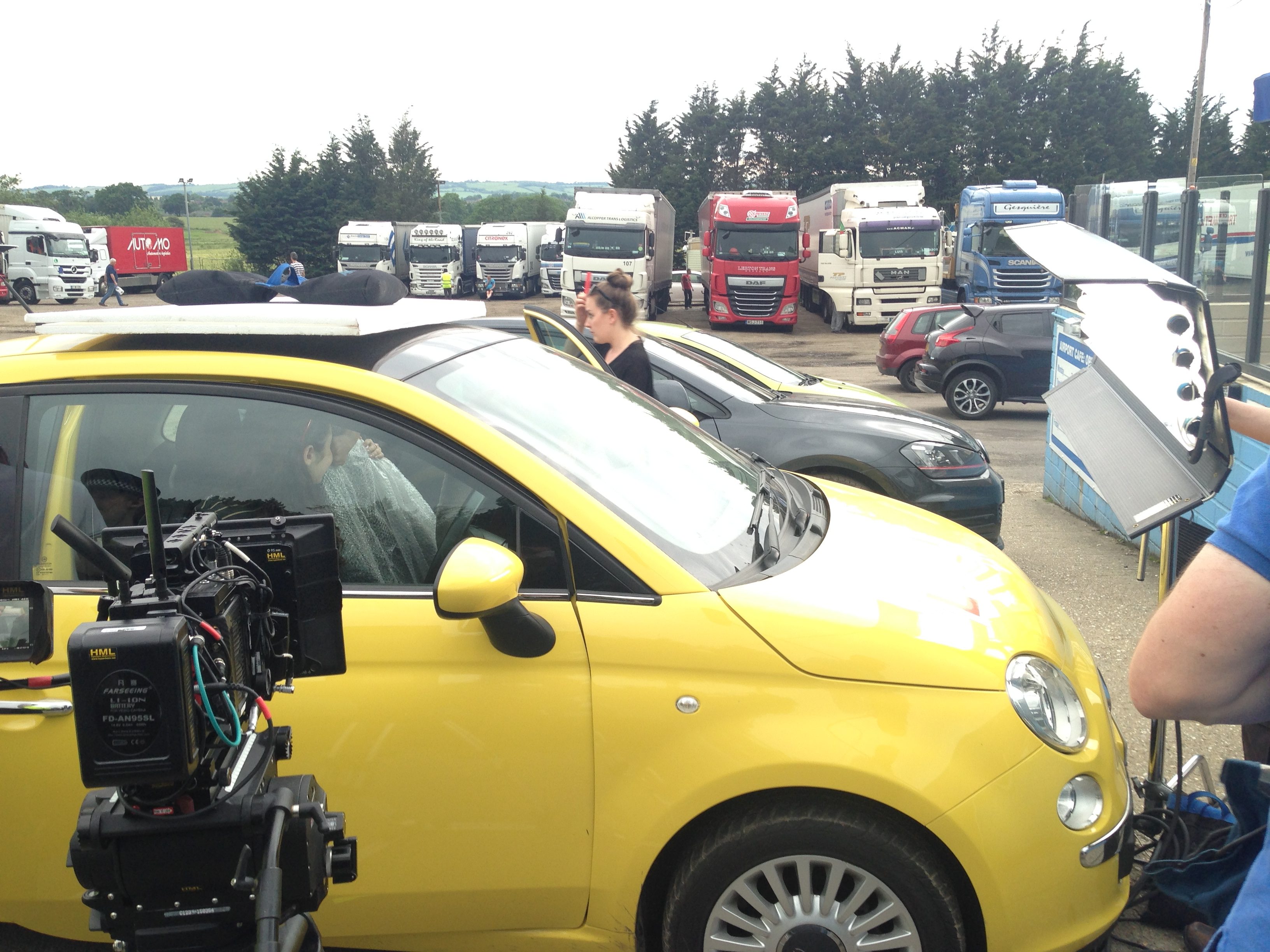
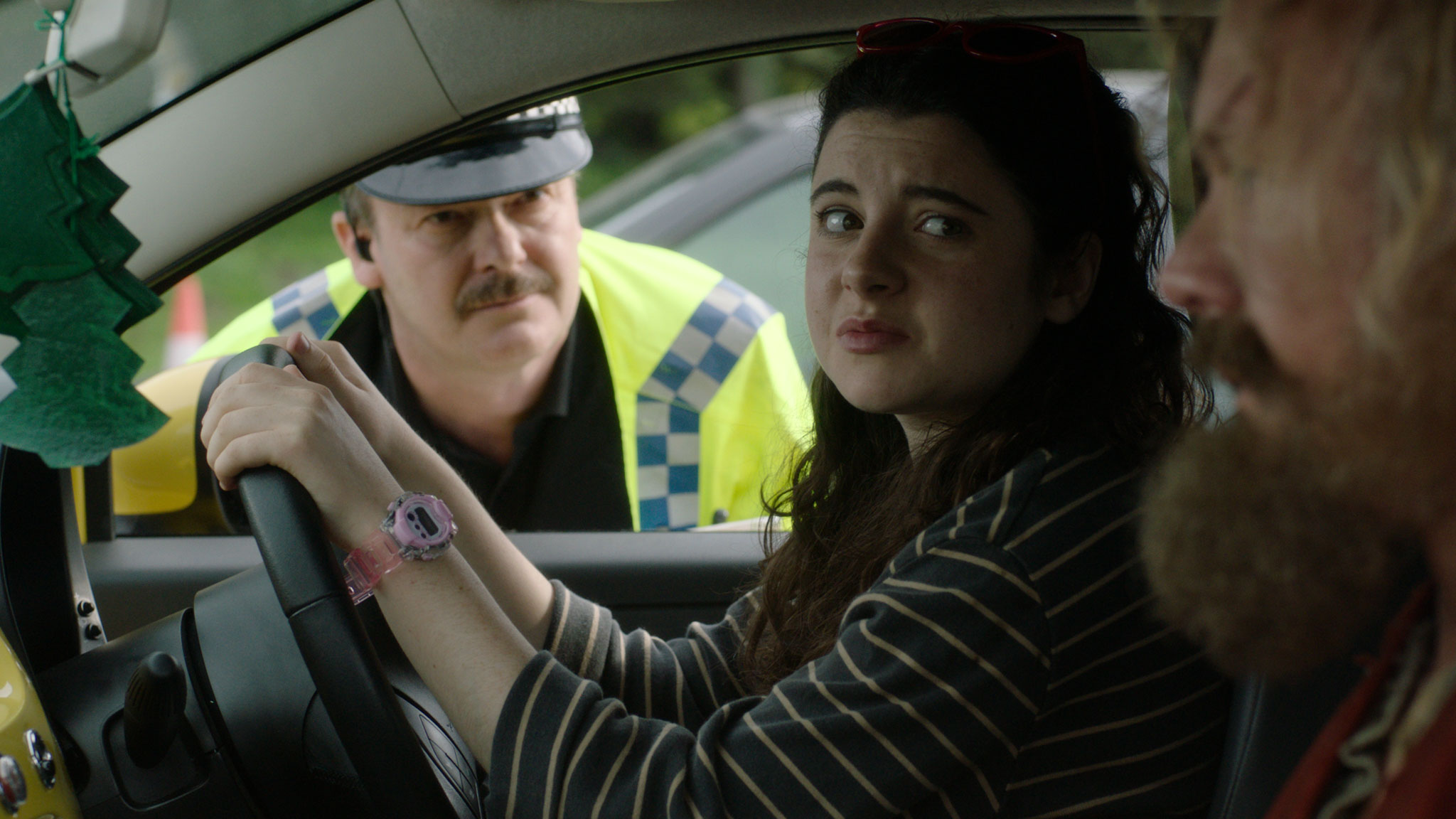
imageLater we shoot a scene in the Fiat 500 ‘Yellow Peril’ outside in the car park. I use a rota polar to find the perfect amount of reflection in the car windows, striking a balance between seeing some clouds (the film is called Above the Clouds after all) and seeing the characters inside.

Again the 4×4 kino proves the ideal source to bring up the light coming through the windscreen, due to its shape and softness. As shooting progresses, the sky darkens. A storm is coming. We drop the kino down to one tube, quartering the amount of key light and therefore allowing me to turn off the Alexa Mini’s internal .6 ND, bringing up the background by 2 stops and re-balancing the overall exposure. But after one more take the rain begins, and we have to wrap. Fortunately we seem to have everything we need in the can.
 

Day 5 / Friday

After watching the news in shock over breakfast, and wondering just how badly Brexit is going to screw the UK film and TV industry, we head to Leon’s for some more scenes in his living room studio. This time it’s dressed as a Travel Inn, and my lighting is motivated by the bedside practicals on the back wall. (Lighting from the back first – always a good plan.) We put a dedo above each practical and a divalite between those to give us something softer and little wrappy. The only other sources are a third practical and a Mustard Yellow gelled 1×1 LED panel outside the window, representing a streetlight. For a morning scene in the same set we put a 2.5K HMI outside the window and let the closed curtains diffuse it, with no other sources.

The set is then reconfigured into reception, and I employ a cross-backlighting set-up, with an added LED panel to represent the glow from a computer monitor.


imageDay 6 / Saturday

Today’s location is a tiny little mechanic’s garage in the middle of nowhere. Most of the scenes take place in the doorway, so we are at the mercy of the weather, which is incredibly changeable. Bright sunshine, cloud and heavy showers alternate throughout the day.

On the first set-up I ask to wait for cloud on at least one take because I can see from the sky that is going to be the easiest thing to match to as the day goes on. Balancing the light inside and outside the garage will also be easier in cloud, even though the Alexa’s incredible dynamic range can handle it in bright sun too.

Aside from the weather, the big challenge for me is making the shots looking into the garage have depth. The best depth is normally achieved by having the brightest area of the frame be the background, and the darkest area the foreground. Looking into the garage though, the opposite is true. But there are other ways of creating depth. One is to make pools of light with practicals, so I leave on the location’s suitably grungy fluorescents. Another is smoke, so we pump a little in and use a 2.5K HMI through a window and a 4×4 kino tucked around a corner to pick it up.
image

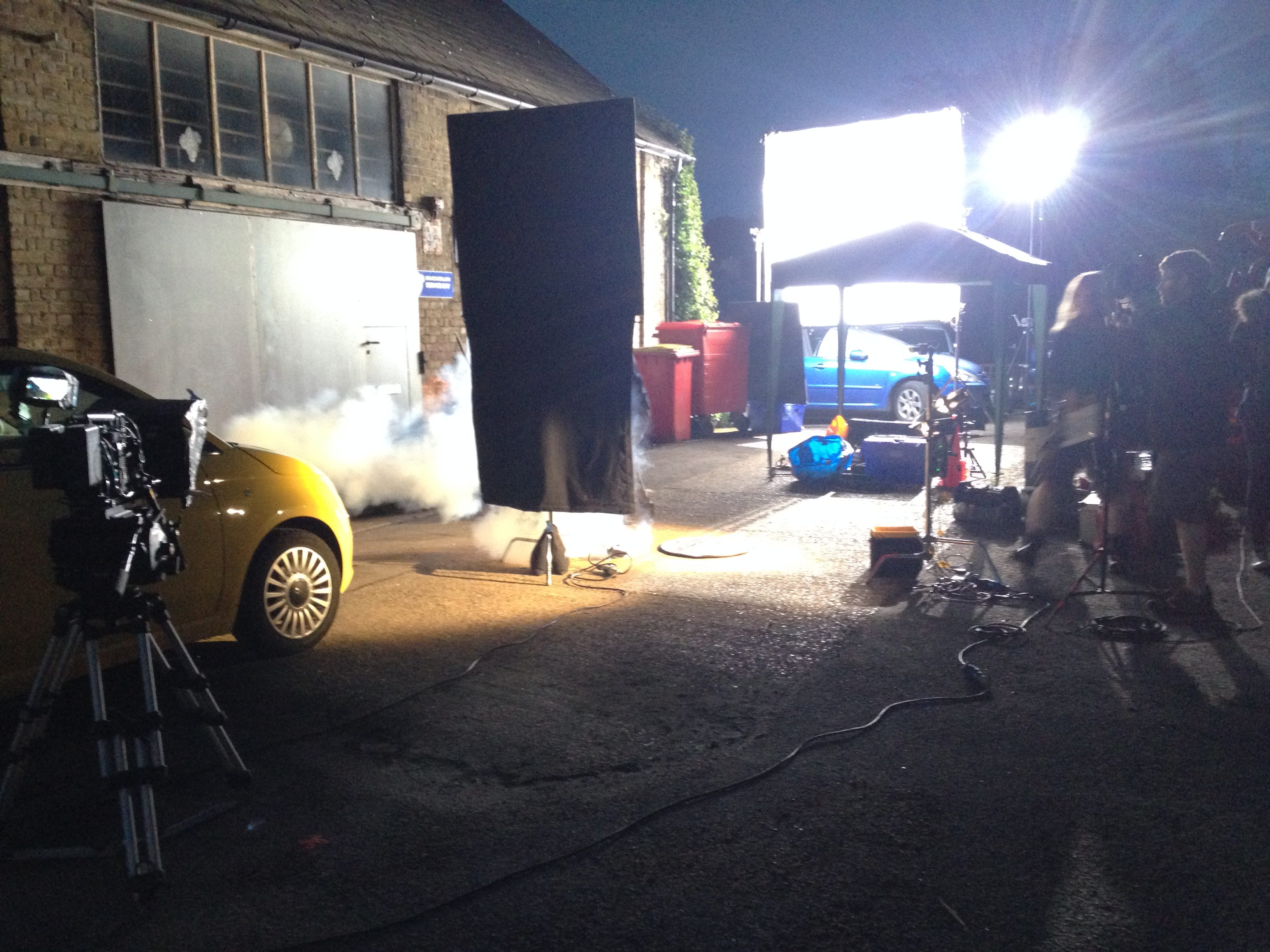
After dinner we have a very brief night scene to do. The blocking suggests raking the 2.5K across the front of the building which will also three-quarter-backlight the talent. Extensive experience of doing this in the past warns me that the angle of incidence could cause a massive reflection of the lamp in the shiny garage door, so I choose the lamp position carefully, and push it through an 8×8 frame of full silent grid cloth to mitigate any glare. Also this particular film seems to call for a ‘softly, softly’ approach to moonlight. It’s not fantasy, it’s contemporary comedy, so most of the time my night sources will be streetlights to keep it feeling realistic, but when I have to use moonlight as motivation I don’t want it to be hard and draw attention to itself.

The diffusion looks great, and the door is glare free, but I failed to consider the window. Fortunately Rupert spots a way to flag it. Saved by a great team!

All in all, a very productive day and a good week.

“Above the Clouds”: Week 1

Poor Man’s Process II

Back in 2013 I wrote a blog about Poor Man’s Process, a low-tech method of faking shots inside a supposedly moving car, using lighting gags and camera movement to sell the illusion. But Poor Man’s Process doesn’t have to be limited to cars.

While gaffering for DP Paul Dudbridge on By Any Name, we had to tackle a nighttime scene in which the hero flees through a forest. Rather than trying to get close-ups with any kind of tracking rig, Paul decided to use a technique apparently favoured on Lost, whereby the actor and camera are stationary, and lights and branches are moved around them to create the impression of movement.

It worked a treat, so when faced with a very similar scene on Ren, I shamelessly ripped Paul off. The actors weren’t sure; they felt pretty silly running on the spot, but we persevered. My lighting set-up used the 2.5K HMI, already rigged for earlier shots, as a side key, and an LED panel as three-quarter backlight. Branches were waved in front of both to throw shadows, and I shook the camera a lot.

Poor Man’s Process was required a second time on the series, in the very last scene, on the very last day of the shoot.

Sophie Skelton (Ren) and Duran Fulton Brown (Hunter) ride Tony the Phony Pony. Photo: Miriam Spring Davies

By this time we were one big happy family and we were all having far too much fun. Gaffer Squish was singing “One Day More” from Les Miserables, actor Duran was riding Tony The Phony Pony like a rodeo champ, candy was being freely imbibed and marshmallows were being toasted. The Poor Man’s shot seemed more like an extension of us all just larking about than anything else.

Ren and Hunter were required to ride off into the moonlight on a single horse, but the horse in question was quite jumpy and not safe for the actors to ride. Designer Chris and production assistant Claire knocked up the highly impressive phony pony, which was used extensively, but moving it fast enough for the final shot was out of the question.

Claire Finn prepares for some arboreal lighting action. Photos: Miriam Spring Davies
Claire Finn prepares for some arboreal lighting action.

So Tony remained stationary while Claire, her sister Alex and producer Michelle threw dignity to the wind and ran around with bits of trees.

I was using the 2.5K HMI as backlight, and a 1.2K HMI bounced off Celotex as a side key. Claire, I think, was on the 2.5K, jiggling a branch about to create some nice dynamism cutting up the hard backlight. Alex, if I recall rightly, was doing a windmill action with her branch in front of the Celotex. Michelle, meanwhile, stood ready with her branch until director Kate called “Tree!”, at which point Michelle would run past at full pelt and Sophie (Ren) would duck under the branch she was supposedly riding by.

You can see some behind-the-scenes footage in Lensing Ren episode 5.

Aided by smoke, a wind machine and the obligatory camera shake, the whole thing was quite effective. Less so the Epping Forest shots, which didn’t make the final cut. Somehow the running-on-the-spot was never quite convincing. Not enough choppy shadows, maybe?

My last project was a $4 million feature, but even that called for Poor Man’s in one instance. A small train carriage set piece had to appear to be moving as our heroes jumped onto it, so in front of each light we placed a ‘branch-a-loris’, a kind of man-powered windmill made from scaff tube and branches. Again lots of smoke, wind and camera shake were employed to sell the illusion.

I think Poor Man’s Process is one of my favourite techniques. It doesn’t always work, but if there’s enough movement in the camera and the lighting, and it’s cut in with genuine wide shots, it can often be extremely effective.

If you’ve enjoyed this post, please do me a little favour and vote for Ren: The Girl with the Mark in the Melbourne Web Fest Audience Award Poll (find us in the drama section). It only takes a moment!

Poor Man’s Process II

Choosing an ND Filter: f-stops, T-stops and Optical Density

A revised and updated version of this article can be found here (aperture) and here (ND filters).

Imagine this scenario. I’m lensing a daylight exterior and my light meter gives me a reading of f/11, but I want to shoot with an aperture of T4, because that’s the depth of field I like. I know that I need to use a .9 ND (neutral density) filter. But how did I work that out? How on earth does anyone arrive at the number 0.9 from the numbers 11 and 4?

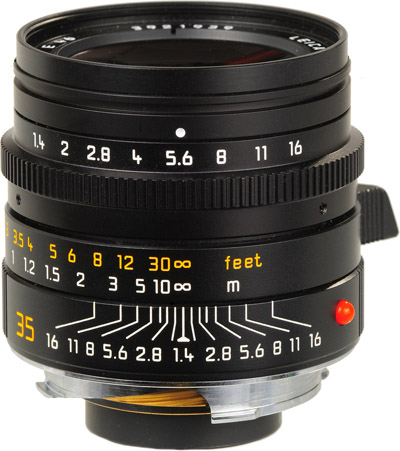
Let me explain from the beginning. First of all, let’s remind ourselves what f-stops are. You have probably seen those familiar numbers printed on the sides of lenses many times…

1      1.4      2      2.8      4      5.6      8      11      16      22

They are ratios: ratios of the lens’ focal length to its iris diameter. So a 50mm lens with a 25mm diameter iris is at f/2. If you close up the iris to just under 9mm in diameter, you’ll be at f/5.6 (50 divided by 5.6 is 8.93).

A stills lens with its aperture ring marked in f-stops
A stills lens with its aperture ring (top) marked in f-stops

But why not label a lens 1, 2, 3, 4? Why 1, 1.2, 2, 2.8…? These magic numbers are f-stops. A lens set to f/1 will let in twice as much light as (or ‘one stop more than’) one set to f/1.4, which in turn will let in twice as much as one set to f/2, and so on. Conversely, a lens set to f/2 will let in half as much light as (or ‘one stop less than’) one set to f/1.4, and so on.


If you think back to high school maths and the Pi r squared formula for calculating the area of a circle from its radius, the reason for the seemingly random series of numbers will start to become clear. Letting in twice as much light requires twice as much area for those light rays to fall on, and remember that the f-number is the ratio of the focal length to the iris diameter, so you can see how square roots are going to get involved and why f-stops aren’t just plain old round numbers.

A Zeiss Compact Prime lens with its aperture ring marked in T-stops

Now, earlier I mentioned T4. How did I get from f-stops to T-stops? Well, T-stops are f-stops adjusted to compensate for the light transmission efficiency. Two different f/2 lenses will not necessarily produce equally bright images, because some percentage of light travelling through the elements will always be lost, and that percentage will vary depending on the quality of the glass and the number of elements. A lens with 100% light transmission would have the same f-number and T-number, but in practice the T-number will always be a little higher than the f-number. For example, Cooke’s 15-40mm zoom is rated at a maximum aperture of T2 or f/1.84.

So, let’s go back to my original scenario and see where we are. My light meter reads f/11. However,  I expressed my target stop as a T-number though, T4, because I’m using cinema lenses and they’re marked up in T-stops rather than f-stops. (I can still use the f-number my meter gives me though; in fact if my lens were marked in f-stops then my exposure would be slightly off because the meter does not know the transmission efficiency of my lens.)

By looking at the series of f-numbers permanently displayed on my light meter (the same series listed near the top of this post, or on any lens barrel) I can see that f/11 (or T11) is 3 stops above f/4 (or T4) – because 11 is three numbers to the right of 4 in the series. I can often be seen on set counting the stops like this on my light meter or on my fingers. It is of course possible to work it out mathematically, but screw that!

CameraZOOM-20140309092150072_zps94e90ea4
A set of Tiffen 4×4″ ND filters

So I need an ND filter that cuts 3 stops of light. But we’re not out of the mathematical woods yet.

The most popular ND filters amongst professional cinematographers are those made by Tiffen, and a typical set might be labelled as follows:

.3      .6      .9      1.2

Argh! What do those numbers mean? That’s the optical density, a property defined as the natural logarithm of the ratio of the quantity of light entering the filter to the quantity of light exiting it on the other side. A .3 ND reduces the light by half because 10 raised to the power of -0.3 is 0.5, or near as damn it. And reducing light by half, as we established earlier, means dropping one stop.

If that fries your brain, don’t worry; it does mine too. All you really need to do is multiply the number of stops you want to drop by 0.3 to find the filter you need. So to drop three stops you pick the .9 ND.

And that’s why you need a .9 ND to shoot at T4 when your light meter says f/11. Clear as mud, right? Once you get your head around it, and memorise the f-stops, this all becomes a lot easier than it seems at first glance.

Here are a couple more examples:

  • Light meter reads f/8 and you want to shoot at T5.6. That’s a one stop difference. (5.6 and 8 are right next to each other in the stop series, as you’ll see if you scroll back to the top.) 1 x 0.3 = 0.3 so you should use the .3 ND.
  • Light meter reads f/22 and you want to shoot at T2.8. That’s a six stop difference (scroll back up and count them), and 6 x 0.3 = 1.8, so you need a 1.8 ND filter. If you don’t have one, you need to stack two NDs in your matte box that add up to 1.8, e.g. a 1.2 and a .6.


Choosing an ND Filter: f-stops, T-stops and Optical Density

4 Reasons to Use a Light Meter

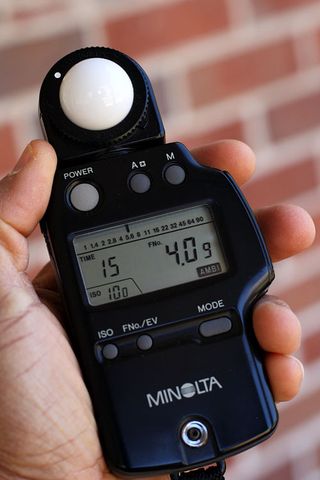
lightmeterIn the celluloid era, light meters were essential to ensure proper exposure of the film negative. In today’s digital world, where you can immediately see your images on a monitor, it may seem like light meters are obsolete.

But these devices still have their place in modern cinematography. On a bigger production, when you may not be at the camera the whole time, they can be very useful. Interrupting your ACs (as they set up the sticks, swing the lens, put on the eyepiece extension, balance the fluid head, run cables to the monitors, etc.) in order to see if your image is correctly exposed on camera can be inefficient.

And having the reliable, hard number a light meter gives you can be more reassuring than judging false colours or histograms.

Here are four ways in which I used my brand new light meter on my last production, The Little Mermaid:

  1. To call ND filters. When shooting outdoors, I would take light readings in the sun and in the shade, and when then the sun was in, to understand the range of light levels I was dealing with. I could then pick an ND filter that would put me at a stop at where I would still have the room to adjust the iris a little either way if the light got brighter or darker. This was particularly important when we were shooting on water in a splash bag, when changing NDs or even just adjusting the iris was a longer process. (In my next post I’ll look deeper into stop maths and ND filters to demonstrate exactly how to select an ND filter based on a light reading.)
  2. To measure contrast ratios. The Alexa can handle up to seven stops of over-exposure and eight stops of under-exposure. Knowing this, I could use my meter to see if certain areas were going to blow out or crush, before the camera was even set up. I could also measure how many stops the key side of an actor’s face was above the fill side, and thus work out the key-to-fill ratio. At present this is still something I judge by eye on the monitor, but the more I get to know the numbers, the more I suspect I will start determining it in advance.
  3. To check green-screens are properly lit. The visual effects supervisor, Jafar, told me that green-screens should be exposed at key, or up to half a stop over key. So if I was shooting at T4, I would walk along the green-screen and take readings at various points to make sure the meter was generally giving me between f4 and f4½.
  4. To schedule a dusk shot. For a twilight scene on a beach, I needed to know in advance exactly what our window of opportunity was. Looking up the sunset time is all well and good, but it doesn’t help you figure out how long afterwards there will be enough ambient light left to shoot with. So while at location the day before, I went out onto the beach and took light readings every few minutes after sundown. These told me I had 20 minutes from sunset until the ambient light dropped below what the lenses could expose.

Do you use a light meter? And if so, how?

4 Reasons to Use a Light Meter

Lensing Ren – episode 5

Season one of Ren: The Girl with the Mark has come to an end, and to ease the pain a little, here’s one last video breakdown of the show’s cinematography. This week I talk about the exterior scenes from daylight through sunset to night.

Here is the lighting plan for the final scene:

Village-night-1080p

Check out the article I wrote during the shoot about the sunset scene if you’re still hungry for details. And here is an unpublished blog post I wrote during the shoot about the village night exteriors…

The 2.5K HMI backlight
The 2.5K HMI backlight. The dimmer board for the Cyclotron can be seen in the lower right.

The last two days of principal photography on Ren were actually night shoots. It was great to take the village set that I’d shot in natural light for five weeks and chuck some of my own light at it.

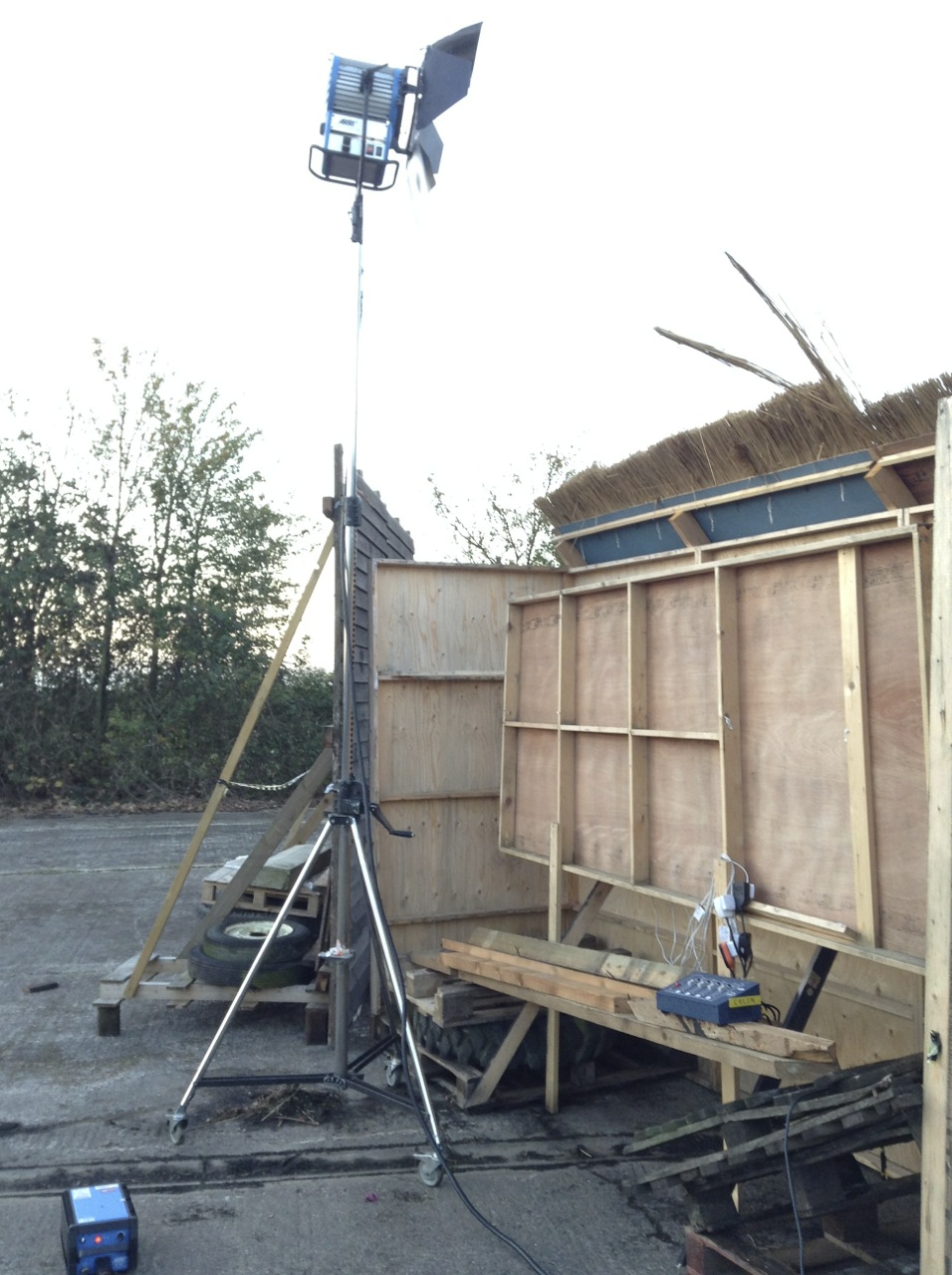
In his American Cinematographer interview about The Monuments Men (February 2014), Phedon Papamichael said, “My big night-exterior lighting setups usually have one source” – often a backlight, judging by the examples given in the article – “and then I use whatever practicals are in the shot.” My approach is much the same, though a big source for me is a 2.5K HMI, not an Arri T12, sadly!

One of the Urban Sodium-gelled 800W Arrilites beefing up the braziers

I knew our key shot was going to be Ren’s POV looking up the street to the Kah’Nath Master flanked by several archers, with Karn and Baynon in the background. I set up my 2.5K dead in the back of the shot, its stand hidden by the furthest house facade.

Another of the Urban Sodium-gelled 800W Arrilites beefing up the braziers
One of the Urban Sodium-gelled 800W Arrilites beefing up the braziers

The plan was for the archers to light their arrows from two braziers, one either side of the street, so Chris Dane and Amanda Stekly dressed these in accordingly. I set up an Arrilite 800 near each one, choosing Urban Sodium gel to give the “firelight” a grungy colour appropriate to the bad guys. (I was shooting on a tungsten white balance to turn the HMI moonlight blue.)

The dimmers controlling the Arrilites

Chris – by this time well-attuned to my lighting needs – also rigged a third brazier to act as the key light for himself (Karn) and James Malpas (Baynon), towards the back of the set. The Arrilite for this one I gelled with full CTO for a yellower, friendlier colour.

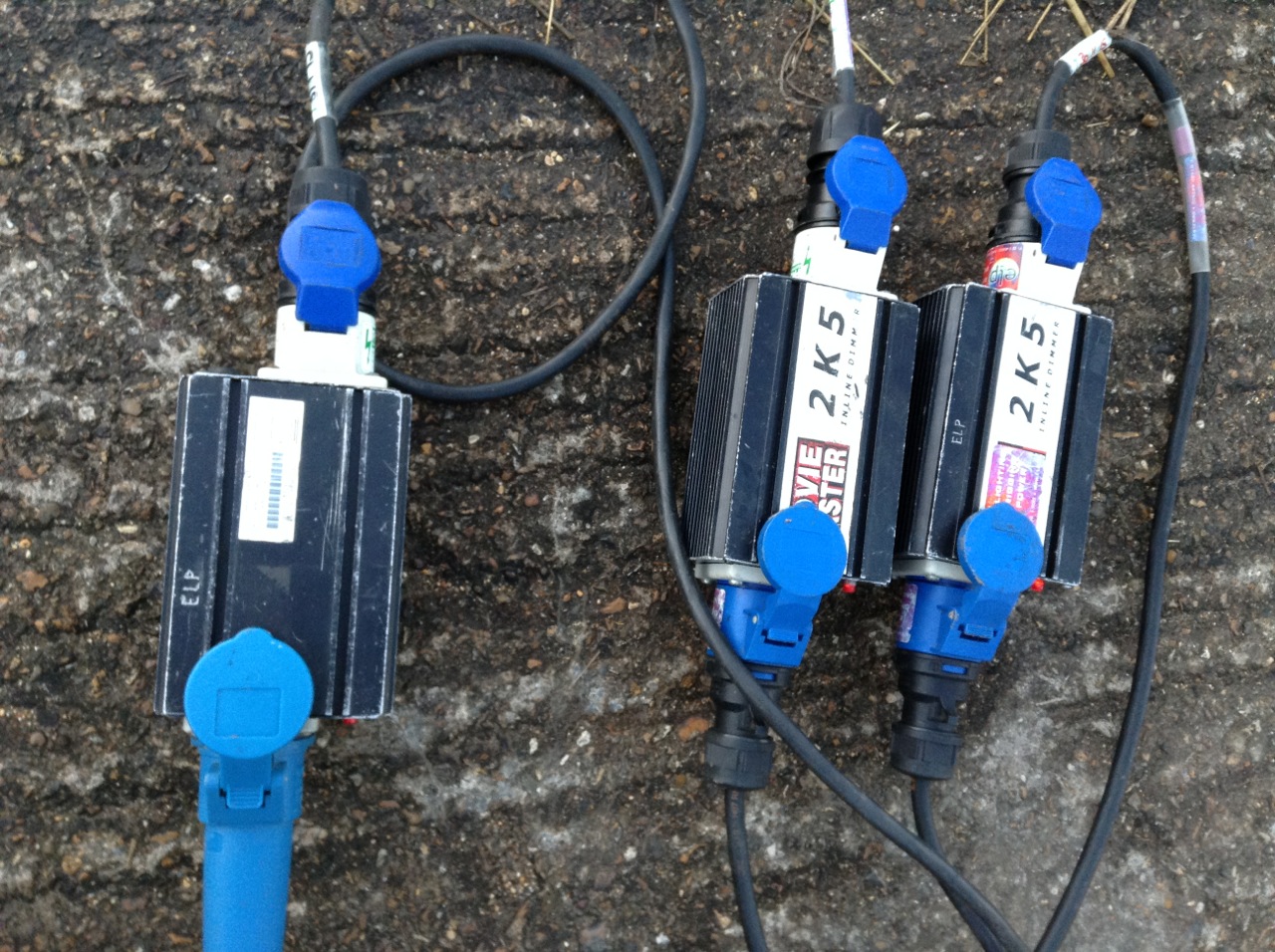
All three Arrilites were run through in-line dimmers, and various bystanders were co-opted to flicker them throughout the evening.

Bulbs
The Cyclotron

I rigged a Cyclotron behind the window of the background house – four 100W bulbs under a sheet of CTO, wired to Colin’s dimmer board so they too could be flickered, suggesting firelight inside the house.

The Celotex bounce board

I figured that the front of this house would still be very dark, being out of range of the Arrilites and facing away from the HMI, so I had gaffer Richard Roberts rig a Celotex board to bounce some of the HMI light back onto it. As it turned out, when it got dark and we fired everything up, there was lots of bounce off the set pieces closest to the HMI anyway. This was a nice bonus that gave us more options when blocking Karn and Baynon’s actions, without having to set up extra lamps.

A sunset view of the lighting set-up from roughly the master camera position. The LED panel on the right was used only as a work light.
A sunset view of the lighting set-up from roughly the master camera position. The LED panel on the left was used only as a work light.

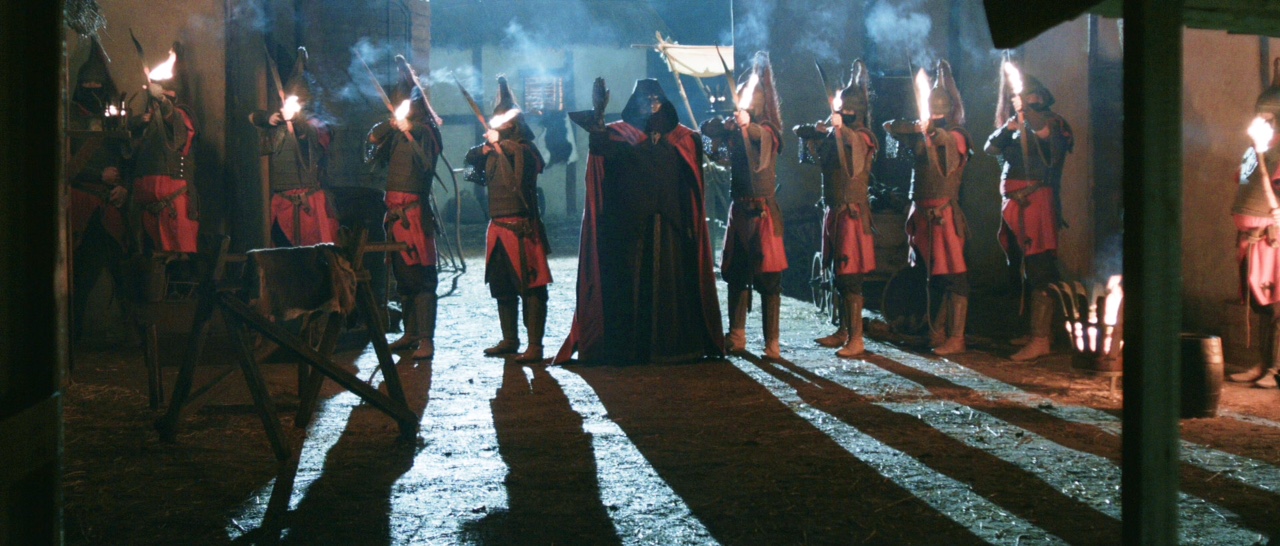
When the braziers were lit and the Master and soldiers strode onto the set in their awesome costumes (courtesy of Miriam Spring Davies and stand-in wardrobe supervisor Claire Finn), we all felt we had a truly epic sequence in the can.

Ren archers

If you’ve missed any of Lensing Ren or Ren itself, here’s a playlist featuring every episode of the fantasy series, interspersed with the corresponding cinematography breakdowns:

Lensing Ren – episode 5

Lensing Ren – episode 4

On Tuesday the penultimate episode of Ren: The Girl with the Mark was released and so here’s my video breaking down the cinematography of that fourth episode. This week I cover lighting the guardroom and the prison cell, and demonstrate cross-backlighting.

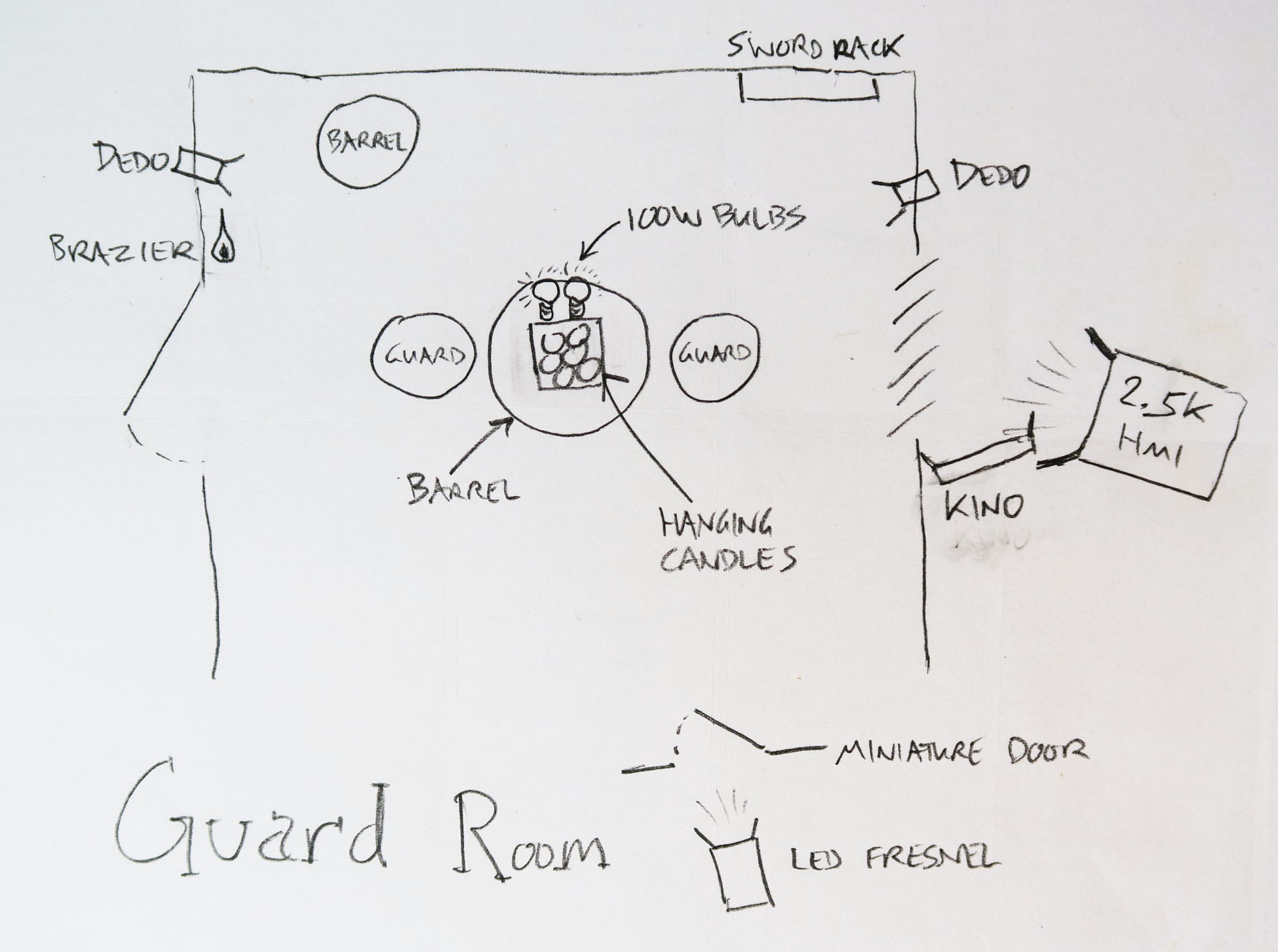
Here are the lighting plans for the guardroom and the cell:

Guard-room-1080p Cell-1080p

You may also be interested to read the blog I wrote during the shoot about Lighting the Prison Cell, and my post explaining the technique of Cross-backlighting. And here is an unpublished post I wrote during the shoot about the guardroom….

33_GuardRoomWide1

The guard room shoot came at the end of a long and intense week of shooting interiors. By Sunday most of the lead actors had left, we had crested the hill and the end of principal photography was in sight. The atmosphere was even more relaxed and informal than usual, particularly as everyone’s favourite spouter of inappropriate comments, Richard “Squish” Roberts, was playing the lead jailor.

A behind-the-scenes view of the lighting set-up for the window and swords

Ren’s bedroom had been repainted and redressed to be the Kah’Nath guard room. This meant a single, small window again, and as usual I couldn’t resist blasting a 2.5K HMI through there for a shaft of hot, smoky sunlight.

The Window Wrap in action on the swords

I wanted to highlight the rack of swords next to the window, which the shaft of light wasn’t catching, so I used a variant on my Window Wrap technique. I put a 2′ 4-bank kinoflo outside the window at such an angle as to light up the swords without blocking any of the HMI light.

I was interested to find that the art team had done something a bit different with the room’s candles, hanging a cluster of them from an overhead beam. I asked for the “table” (actually a barrel) – where the guards would be playing a board game – to be placed directly under that.

The Dedos (left and right of the picture) and 100W globes used to enhance the light from the candles

The candles wouldn’t shed light directly down on the game in the classic single-light-source-coming-straight-down-onto-the-poker-table style, but I felt it would give me an excuse to cross-backlight. I clamped a Dedo to the top of each side of the set, each one spotted on one of the two characters who would face each other across the barrel.

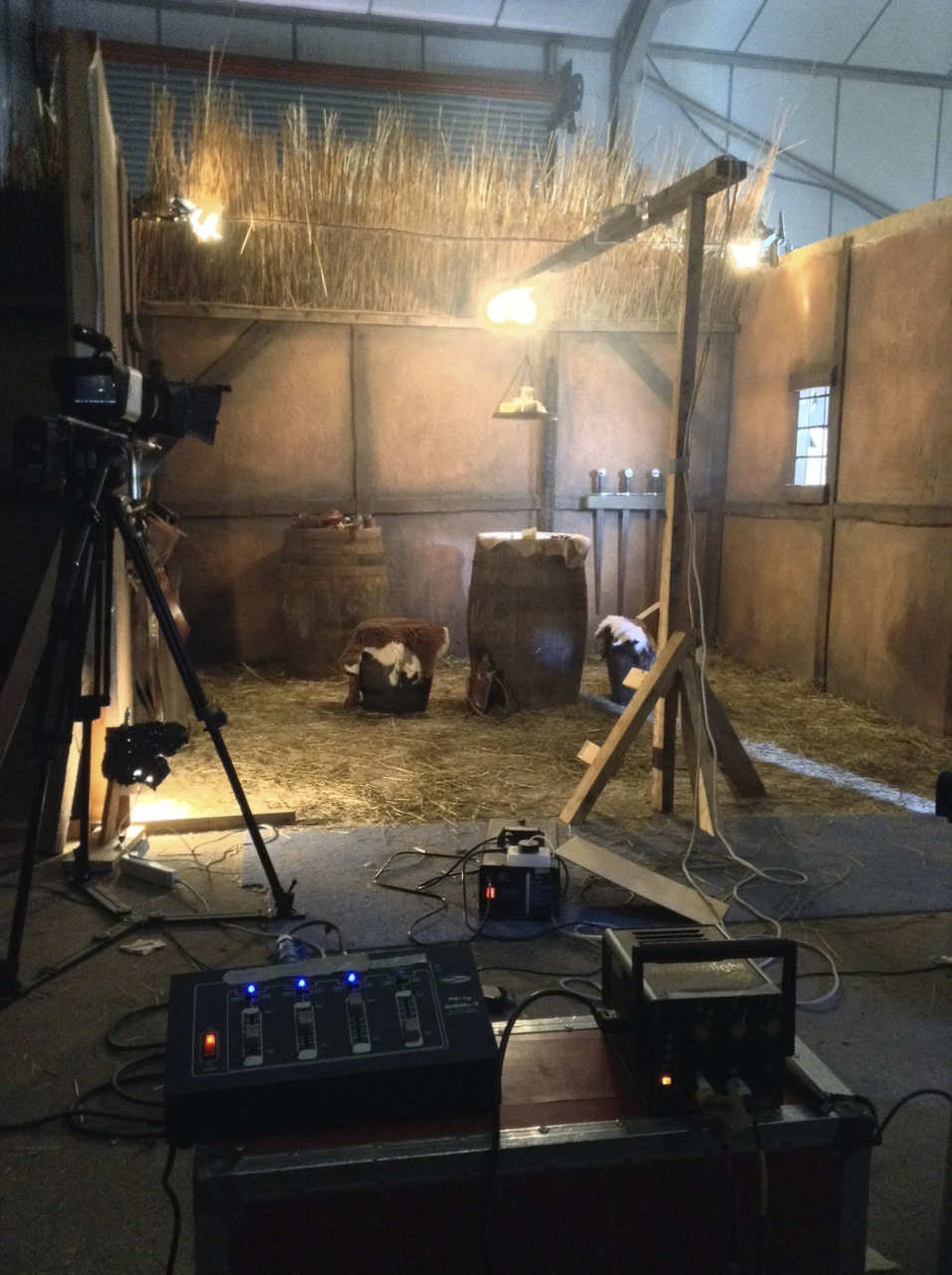
A view of the finished lighting set-up from over the dimmer boards
A view of the finished lighting set-up from over the dimmer boards. On the floor to the right can be seen the shaft of light from the LED fresnel coming through the fake door (off right).

These Dedos couldn’t be flickered, being the kind which go into a single control box with only three discreet settings for brightness. So to introduce some dynamics, and soften the light a bit, I clipped a dimmable 100W bulb to either side of the beam from which the candles hung. This would also ensure that Hunter would be lit when he stood next to the barrel.

An additional light source in the set was a small brazier on the wall next to the dungeon door. This seemed bright enough to shed plenty of light by itself, particularly as Squish would be standing right next to it for a large part of the scene.

The final touch for lighting was to re-use the fake door to create the effect of daylight spilling in as characters exited and entered from off camera. This time I placed an LED fresnel behind it.

41_GuardsHunter

Check back next Saturday for another instalment of Lensing Ren, and meanwhile watch the next episode of Ren itself from Tuesday at 8pm GMT at rentheseries.com

Lensing Ren – episode 4

Lensing Ren – episode 3

It’s the mid-point of season one of Ren: The Girl with the Mark and here’s my video breaking down the cinematography of that third episode. Topics covered this week include grip equipment, aspect ratio, smoke and faking candlelight.

Here is the lighting plan for Ren’s bedroom:

Rens-bedroom-1080p

There is more on simulating firelight in my First Musketeer blog post Candlelight.

For my thoughts on composing for the cinemascope aspect ratio, take a look at 2.39:1 Composition.

Want to know more about smoke? Check out Lighting Techniques #5: Smoke.

Check back next Saturday for another instalment of Lensing Ren, and meanwhile watch the next episode of Ren itself from Tuesday at 8pm GMT at rentheseries.com

Lensing Ren – episode 3

Lensing Ren – episode 2

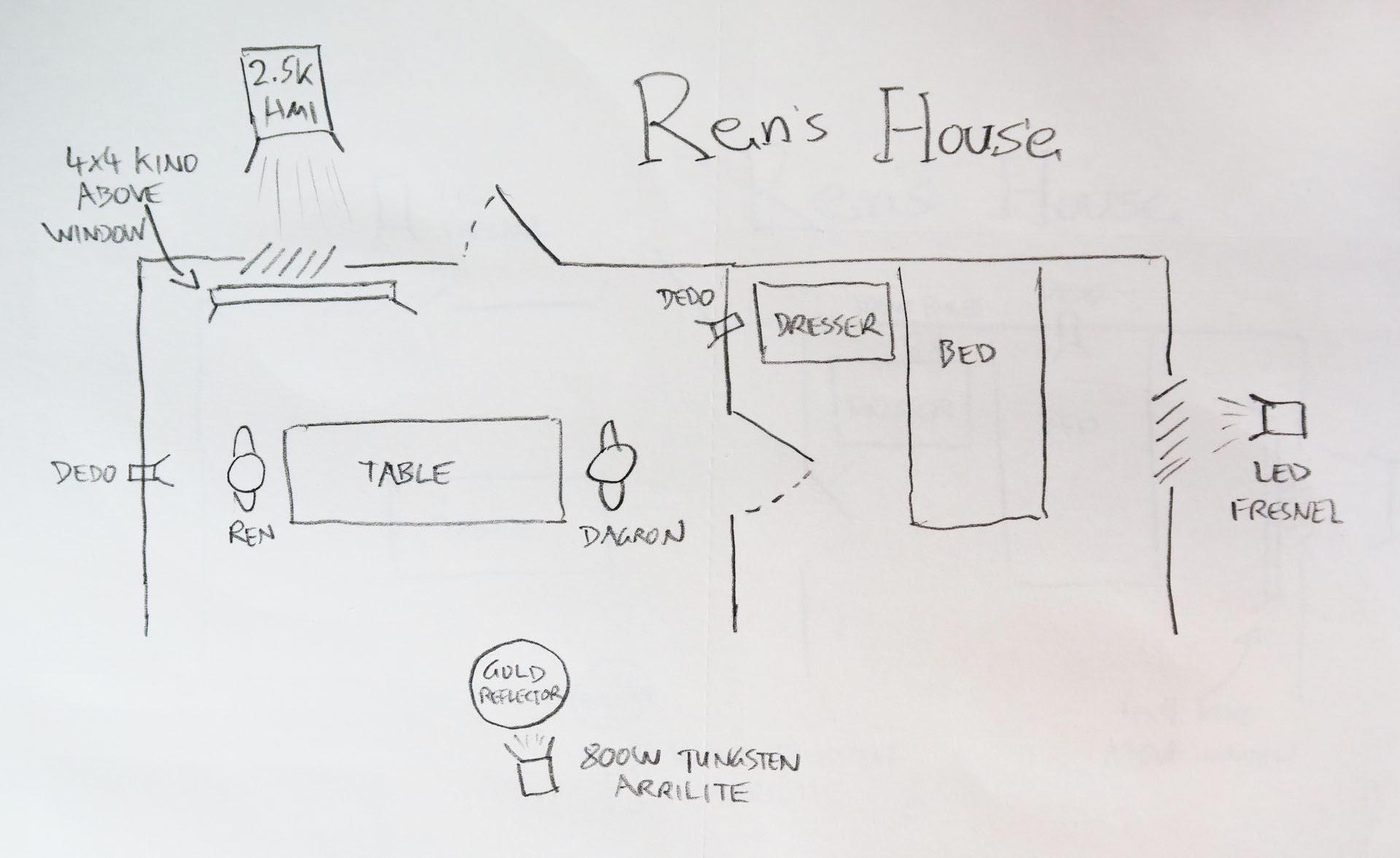
Here’s my video breaking down the cinematography of episode two of Ren: The Girl with the Mark. This week I discuss lighting Ren’s house, tweaking wide-shot lighting for close-ups, and depth of field.

Here is the lighting plan for Ren’s house:

Rens-house-1080

And here is a video blog from the set of Ren’s house:

Check out the article I wrote during the shoot about lighting Ren and Dagron’s house if you’re still hungry for details.

If you want to know more about using kinoflos as indirect window light, have a look at Lighting Technique #3: The Window Wrap.

Want to know more about Depth of Field? This post will give you the basics.

Check back next Saturday for another instalment of Lensing Ren, and meanwhile watch the next episode of Ren itself from Tuesday at 8pm GMT at rentheseries.com

Lensing Ren – episode 2

Lensing Ren – episode 1

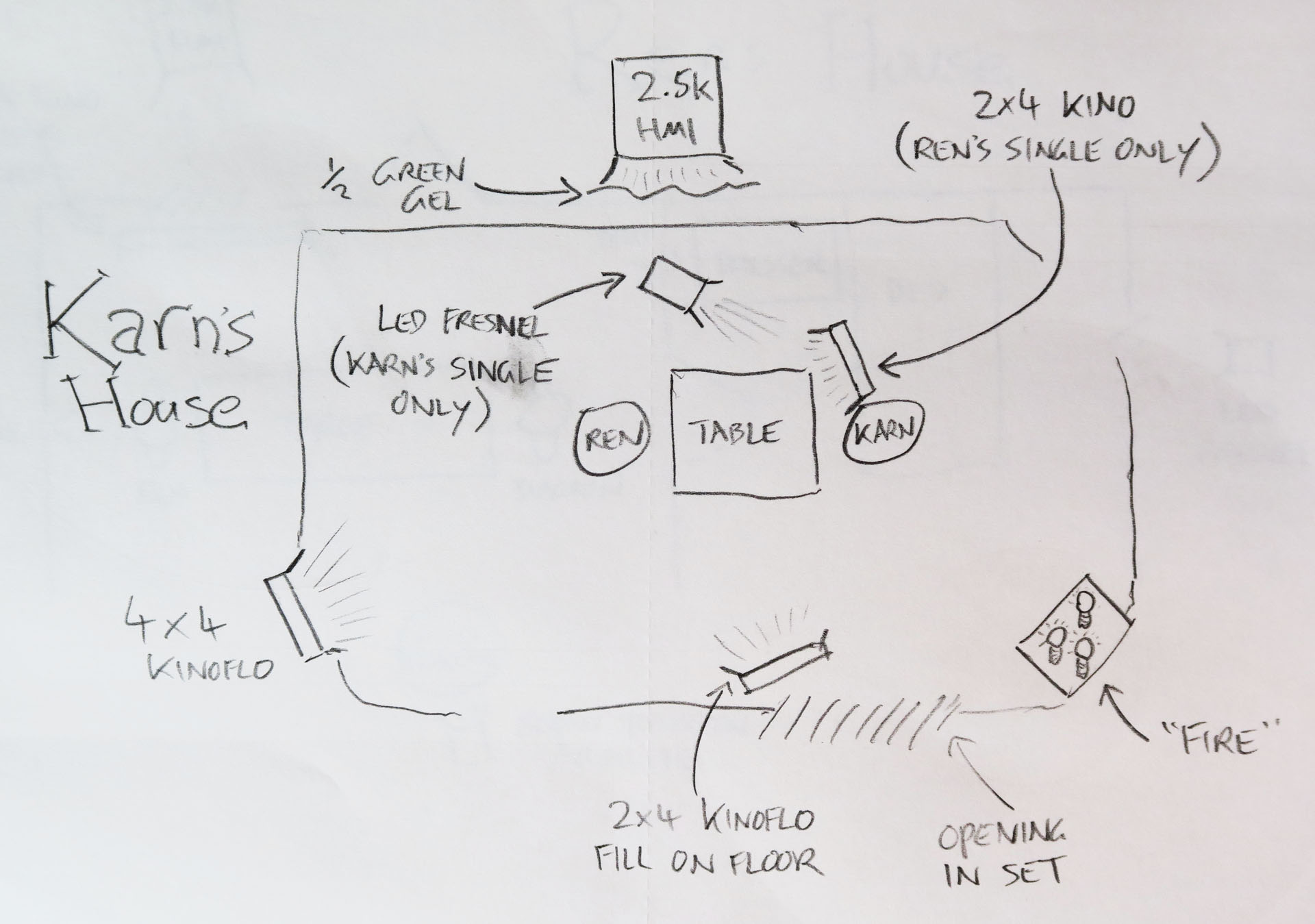
Here is the first in a series of cinematography videos I’m publishing to compliment the five episodes of Ren: The Girl with the Mark as they are released over the coming weeks. These videos will tell you the how, what and why of photographing the show. This week I discuss the camera equipment used, differentiating characters photographically, and lighting Karn’s magical woodland house.

Here is the lighting plan for Karn’s house:

Karns-house-1080p

And here is a video blog from the set of Karn’s house:

You may be interested to read my article on Masculine and Feminine Lighting, which gives some more detail on the techniques used to light Ren and Karn in the riverside scene.

See also: 5 Tips for Perfect Shafts of Light and Lighting Techniques #6: Cross-light.

Check back next Saturday for another instalment of Lensing Ren, and meanwhile watch the next episode of Ren itself from Tuesday at 8pm GMT at rentheseries.com

Lensing Ren – episode 1

10 Things to Look for in a Schedule

scheduleThe director of photography is one of the crew members who has the greatest influence over the pace of a shoot. How long you take to light each set-up has a huge impact on how much gets done in a day. So it’s only natural that you are usually consulted on the shooting schedule during preproduction. More often than not, your pleas for more shooting days will be ignored because there simply isn’t the money. Nonetheless, it’s your duty to feedback on the schedule, and if you can be specific about your concerns then you may occasionally succeed in getting tweaks made. And if not, at least you can say, “I told you so.”

Here are some things I’m looking for when I assess a schedule.

  1. Length of shoot. Are there enough days? Is there a second unit to mop up up anything you drop, or do you have to cover everything on every day yourself?
  2. Turnarounds. Is there a full day of daylight exterior immediately after a night shoot, for example?
  3. Night scenes scheduled during daylight hours. Is the AD expecting you to black out windows, or is this a mistake? I hate blacking out windows; it robs the visuals of depth.
  4. Stunts, VFX, make-up gags etc. Has the AD factored in the extra set-up time that comes with these things? Again, if there’s a second unit for this stuff then it may not affect you.
  5. Nightmare shots. Has adequate time been allowed for any special, fancy shots that might take longer than usual to set up?
  6. Location moves. Are there any location moves during the day, even just between rooms in the same house? Has time been allowed for these moves? Has extra time been allowed for the first scene in each location, to allow it to be lit properly? This may be less of an issue if you have a pre-rig crew.
  7. Easing into it. Does the shoot start off a little easier to give the crew time to get into the swing of things?
  8. Movie star shots. Are there any big heroic or romantic moments late in the schedule? Towards the end of the shoot, everyone will be tired, and this will show on the actors’ faces. Try to have key close-ups brought forward in the schedule, or warn the AD that lighting and make-up will take longer than normal.
  9. Seasonal variations. On long shoots, there may be noticeable changes in season (trees in leaf/not in leaf, for examples) during production, and the available hours of daylight may change. Has this been taken into consideration?
  10. Cover sets. Has the AD got contingency plans if the weather is bad?

A good 1st AD should have thought of most if not all of these things, but it never hurts to check them out yourself.

Want to learn more about scheduling? Check out my posts on scheduling my feature film Soul Searcher and my short film Stop/Eject.

production-schedule

10 Things to Look for in a Schedule